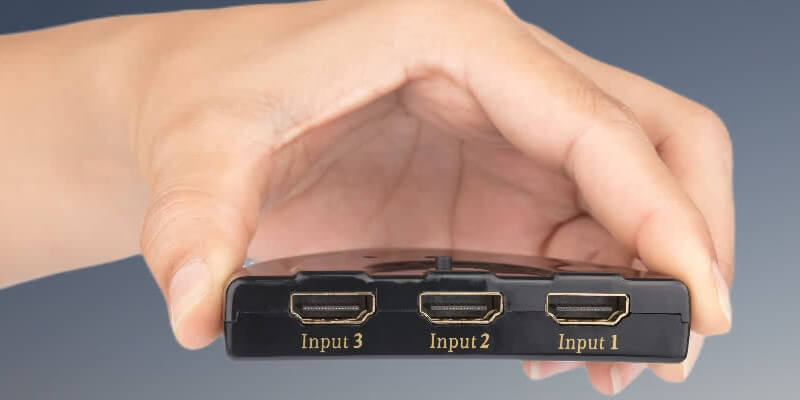
The HDMI splitter allows us to transmit the audio and visual from one HDMI source-In Case If the Size of cables is like mini and micro HDMI. This can be helpful If we want to connect our Television to an external sound system, but your device doesn’t support HDMI ARC or eARC. It Can Be helpful when we want to display any content or video from a single source to multiple TVs.
HDMI splitters take a signal in from one device and then send the exact same signal out to multiple displays. Since HDMI is capable of digital handshaking, the splitter can read and match the signal that each display device is expecting.
An HDMI splitter takes a signal from a single source and divides it into two similar sources. HDMI Splitters can be simply used for dividing the signal and adding some additional power to the divided signals to pay back for the loss of dividing a signal in half. Passive HDMI splitters are mostly enough for applications. However, if you own a long cable set, you should use an HDMI splitter.
You must have some questions about HDMI splitters. Sometimes, similar technology, the HDMI switch, is confused for the HDMI splitter. The HDMI Splitter Divides a single Source into multiple outputs.
On the other hand, the HDMI switch is used for transmitting multiple sources to a single output. [most of the receivers react like HDMI switches]. Thus an HDMI splitter will transmit to multiple sources while an HDMI switch is Can Only Transmit To one.
How Does an HDMI Splitter Work?
An HDMI splitter is an easy-to-use device. Almost every HDMI Splitter will have a single input of HDMI signal and output for multiple HDMI outputs.
When you want to connect more than one device to a TV, you need cables. Passive and active HDMI splitters work differently, but the formula is the same.
The HDMI cable has 19 pairs of wires that are the same number of pins in the HDMI plug. Every wire transmits different data electronically through digital signals. This involves the audio and visual data and the information about that particular device and the order found on the remote control.
An HDMI splitter is a device that splits each of the pairs of wires in a way that you have two or more sets of these 19 pairs of wires.
Passive HDMI splitters are the long and short of it. Active HDMI Splitter, There is another step. One of the disadvantages of dividing an HDMI Signal is that you scientifically cut the power of every output signal. For this cause, you will not find a passive HDMI splitter with more than two outputs.
To pay back the loss of power, active HDMI splitters add power to the HDMI signal, By An external power source to power up the signal. This original signal is passed through Transistor. Its main work is to restrict the wall of the power source as the signal moves through it. You can also Say That it works as a megaphone but for electricity.
When Would You Use An HDMI Splitter?
There is a lot of scenarios in which an HDMI Splitter becomes handy. The most common scenario/uses for an HDMI splitter is When You Have Different audio and video devices or when you want to show your display to multiple devices. The Selected Application Decides Whether You Need an active or passive HDMI splitter.
Passive HDMI Splitter
For most basic users, HDMI will be contained to a TV, Console, or similar stuff. A passive HDMI Splitter (on Amazon) should be enough. As long as the signal is changed by interference, it must come through with no noticeable differences.
An HDMI Splitter Will be a perfect device for you, in case of a single source output to an audio and visual output. A way more preferable way is to connect the device through the HDMI ARC or eARC.This will require an HDMI ARC or e ARC on both your audio and display device. This will be marked as such next to the port.
You will have to connect the external source to the display device or audio device in a different channel to set up. It’s a good idea to use the device to the HDMI ports as a central device; after that, connect the display and audio device in the HDMI ARC or eARC ports.
Check the device manuals to enable on each device if you own HDMI ARC instead of HDMI eARC, and Setup will be auto-completed if you have HDMI eARC on All of the devices.
You will Have the advantage of using HDMI ARC or eARC on an HDMI splitter. It allows you to get CEC or Consumer Electronic Control. This means you will have control across all of your devices through your device’s remote. It also syncs your devices to have the master volume to all.
Active HDMI Splitters
If you are doing wire runs or outputting to two or more destinations, then you will definitely need an active HDMI splitter (on Amazon).
We know that if we divide any electronic signal, the resulting signal will be weaker than the original signal. Dividing the signal twice will make them too weak. So, A weakened signal may be harmful to interference over lengthy cable runs.
The active HDMI splitter will allow you to divide the source of the HDMI signal without any noticeable loss in SI or signal integrity. This will allow for an HDMI signal to be divided various times, with some splitters having as many as eight outputs. It also helps you to pick up less radio frequency interference.
Does an HDMI Spitter Degrade The Audio or Picture Quality?
As previously mentioned, a passive splitter will scientifically mean a cut in signal strength. But, for the majority of the users where You are likely using short wires/cables, this should not matter that much. The main reasons lie in how digital audio and video signals work compared to the analog counterparts of theirs.
An analog signal takes a media source and converts it into an electric signal which directly acts for that source.
With audio, for example, the signal’s voltage straightly translates to how far away the speaker cone is pushed from its relaxing point, and the changes in the voltage create the movement of the speaker cone. Its means the more voltage equals to louder sound.
The video is a little bit complex, But the basic principle is the same. You will have an idea of what will be displayed by looking at the voltage pattern.
This is not the case with the digital signals; overall, if you break or weaken the power of an analog signal, there will be a weakening output result. The sound may get quieter than usual, and the color of the picture may get some issues.
How HDMI Reduces Signal Loss
This is not the case in the digital signal. Unlike the analog signal, which communicates through the frequency of electric pulses and their voltage. High and low are the only states in the digital signal.
Unlike the analog signal, The data is converted before being sent through the cable and decoded at another end. The figure of this signal depends not only on the data being sent but also on the encrypted protocol between the two devices.
So this means you are not able to tell immediately what is happening to the audio or visual information by looking at the electric pulse pattern.
Cause the digital signal only depends on the frequency, not the voltage; reduced power does not mean distracting audio or color-shifted picture. That’s why you should not worry about using a passive HDMI splitter for shorter cable runs.
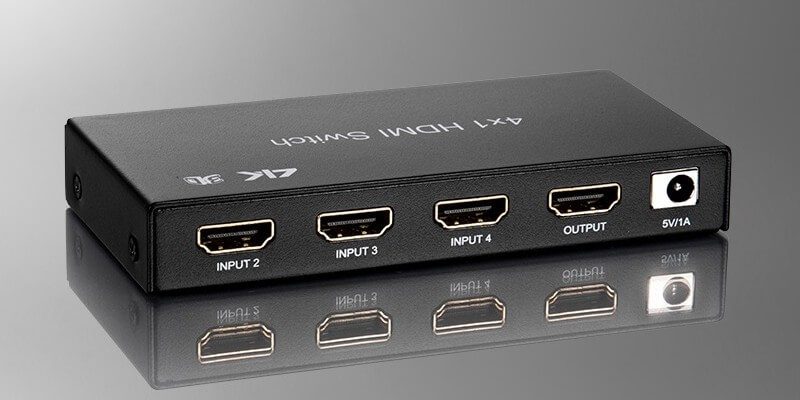
In Longer runs, this may result in radio interference. The decrease the sound further makes radio frequency sound take over the signal; you will see red and green dots, choppy or crackly audio if you have this problem.
Using longer cable runs for an active HDMI splitter may solve this problem. However, If the problem continues, you may have to upgrade your HDMI cable, which one is better shielded; a shielded cable has an extra layer of a substance that deflects radio waves.
When using a piece of older equipment, you may find fewer HDMI ports than you need, but now that you have an HDMI splitter, you should not worry anymore.
-our editorial board has reviewed this article and has been approved for publication according to our editorial policy.
Best Seller List of HDMI Splitters:
You May Also Like…
- Sonos Playbar vs. Bose SoundTouch 300
- How To Use Bluetooth Speaker With Amazon Fire Stick?
- How to Mount Soundbar to TV?
- HDMI Cable Length – Does HDMI Cable Length Matter?
- Can You Use HDMI Splitter On Fire TV Stick?
Last update on 2026-11-06