Your favorite speaker can be turned into a Bluetooth speaker with an inexpensive Bluetooth receiver. Plug the receiver into your stereo and turn on both devices. Simply plug the Bluetooth receiver into your favorite set of stereo speakers using a standard 3.5mm jack (you may need an adapter to do so). Then, turn on both the Bluetooth receiver and your mobile device.
Bluetooth Speaker Conversion: Easy Steps!
Suppose you have an old wired speaker. You want to make it Bluetooth compatible. So, what should you do now? Why do you need to turn your regular speaker into a Bluetooth speaker? If you want to make your wired speaker Bluetooth compatible, you need to follow some processes.
The processes are given below:
- Need a Bluetooth receiver.
- Get the right cables so you can connect your Bluetooth receiver to your speaker system.
- Connect the Bluetooth receiver with the device.
Nowadays, Bluetooth connectivity has become popular connectivity. If you use a regular speaker, you have to face the AUX connection’s wire mess. In this modern world, you don’t want to face any problem with a solution to that problem. Therefore, if you enable Bluetooth, it will give a permit to stream audio from any Bluetooth-capable device.
Get a Bluetooth Receiver
A Bluetooth receiver is a must if you want to make your regular speakers Bluetooth capable. A Bluetooth receiver takes a wireless Bluetooth audio signal in order to convert it to a line-level electrical audio signal.
Do you know what a line-level signal is?
A line-level signal is a noise-resistant and low voltage signal. This line-level signal will get out of a cellphone or laptop. Line-level signals transport a sound signal using a minimum amount of power. It is designed to that.
You can easily buy a Bluetooth receiver at a reasonable price. Usually, a Bluetooth receiver has female RCA connectors and a female AUX jack. But the Bluetooth receiver, designed for the car audio system, has only a male AUX output.
Recommended Bluetooth Receivers
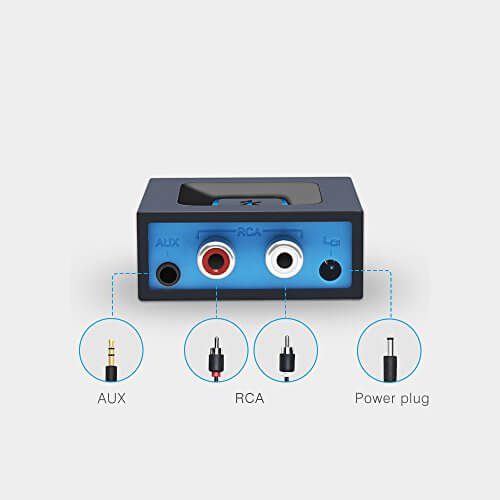
- Esinkin W29-US (on Amazon) – Most Recommended
- Standard power adapter
- RCA and AUX outputs
- 10-12 meter or 30-40 ft connection distance
- AUKEY BR-C1 (on Amazon) – Super Budget
- Connect two devices at the same time
- 10-meter range
- AUX output
- 13 hours of battery life, charge via micro-USB cable
- Anker Soundsync A3352 (on Amazon) – Most Portable
- Extremely small and portable
- Connect two devices at the same time
- 12 hours of battery health, charges via micro-USB cable
- 30 ft maximum distance
- AUX output
Connect the Bluetooth Receiver to the Speaker System or Speaker
It is time to hook up your speakers and Bluetooth receiver. For this, you will need certain cables depending on your Bluetooth receiver and speakers. You will find these cables easily most of the time.
Most of the Bluetooth receiver has female AUX and RCA outputs. But it is different from to car audio system. Car audio system Bluetooth receiver has male AUX output. Usually, the stereo AUX outputs are made for computer speakers, and the RCA outputs are made for home audio speakers.
Connecting Bluetooth Receiver to Powered or Active Speakers
Usually, the Bluetooth receiver is connected to an active/powered speaker system via an RCA cable, or sometimes it is connected via an AUX cable. But how the Bluetooth receiver will be connected to the active/powered speaker system fully depends on the active/powered speaker system. As powered speakers have their own external power supply, they can use this power in order to add current and voltage to line-level signal. For this quality of these powered speakers, you can hook up a Bluetooth receiver directly into a set of active/powered speakers systems.
Suppose you want to add a Bluetooth audio channel to your powered speaker system. What should you do about that?
In case of adding a Bluetooth audio channel to your active speaker system, you have to hook up your speakers to a preamp’s output channel and also, in one of the preamp’s channels, plug the Bluetooth. For other audio devices, use the other channel.
Active/Powered speakers who don’t have any volume control, a preamp is a good option to add volume control. If your active speaker system doesn’t have its volume control, your Bluetooth receiver will control volume. So, it is highly recommended you get preamp.
Connecting Bluetooth Receiver to Passive Speakers
Though active/powered speakers have their own external power supply, passive speakers don’t have their own power supply. With an A/V receiver or amplifier, you need to amplify the line-level signal with the help of passive speakers. Using a power amplifier, you can establish a connection between the Bluetooth receiver and any open audio input channel. Having an A/V receiver, you should establish a connection between the Bluetooth receiver and the Direct In channel or HT Bypass. You know might know the preamp controls the volume, EQ settings, etc. The Direct In channel or HT Bypass skips the preamp stage in order to your A/V receiver not control volume or EQ settings.
If you don’t have any HT Bypass or Direct In channel in your A/V receiver, you can still make a connection to an empty audio channel. When your Bluetooth device is at a general volume, this connection will make the audio very low.
RCA and Aux Connections
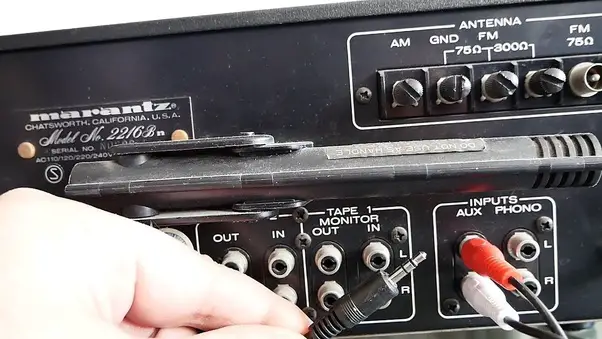
Usually, speakers come with three kinds of connections. Among them, the RCA connector is the easiest and best way to make a connection to a Bluetooth device. Generally, most Bluetooth receivers contain RCA output, so the only thing you will need is the RCA cables to the plugin.
You already know that the car audio system Bluetooth receiver contains a male AUX output. So, if you are using a car audio system Bluetooth receiver, you will need to get a converter cable.
If your speakers have an RCA connection, it will be easy to find left female AUX cables and right male AUX cables. On the contrary, if your speaker uses banana plugs, it may become difficult.
Banana Plugs and Speaker Clips
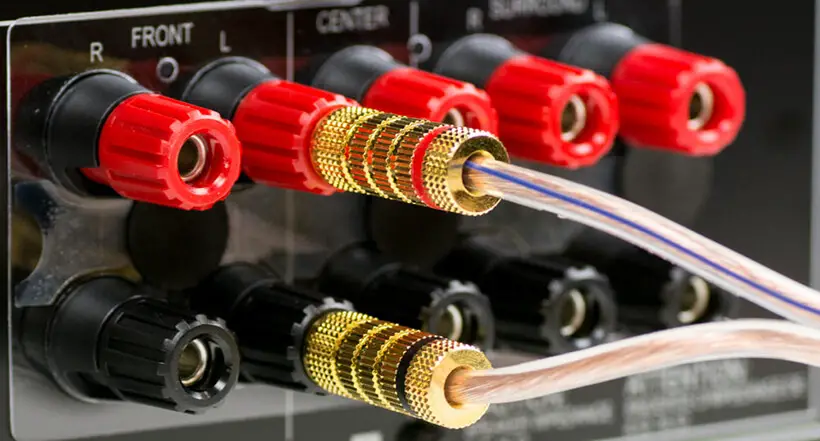
There are two types of final speaker connections you may face. One of them is a banana plug. Both banana plugs and speaker clips have positive and negative plugs. You might see the most connections combine the positive and negative plugs into one plug. But banana plugs don’t follow this manner. They have separate plugs for both the positive and negative cables.
We have already told you speaker clips have positive and negative plugs. Like banana plugs, they have separate positive and negative cables. Speaker clips also have spring-loaded terminals which take the bare wire.
Preparing Cables for Speaker Wire
The process of finding RCA to speaker wire cables isn’t very hard. You can make it by yourself. First, you need to take a standard RCA cable. Then you have to cut off the plug on one side. In order to disclose the two wires inside, you must close a small amount of the outer tubing. After that, striping a small amount of tubing off each wire, you need to plug one into the positive cable and the other into the negative cable. Generally, these inside wires might be color-coded in order to keep the similarity with the speaker clips. Since audio signals are alternating current, it mightn’t make too much unsimilarity in case of no labeling.
The most complex part is the conversion between a stereo UX connection and speaker clips. The stereo AUX connections combine the positive and negative plugs into one plug, where RCA connections have only one positive and one negative cable per plug.
A single negative signal grounds the positive signals in a stereo AUX connection. In case of stripping a stereo AUX wire, you will get three interior wires. They are: left(labeled white), right(labeled red), and ground(labeled black or unwrapped).
As the right and left channels of the stereo AUX wires share a ground, you will have to split the ground. You will need to get two lengths of small gauge cable and fix them to the ground wire. Another thing to do is dredge three wires at a single point.
After that, hook up the right channel to the positive speaker on one speaker and the left channel to the positive speaker on the other one. At last, each of the ground extensions should be hooked up to the negative terminal of each speaker.
Pair with Bluetooth Receiver
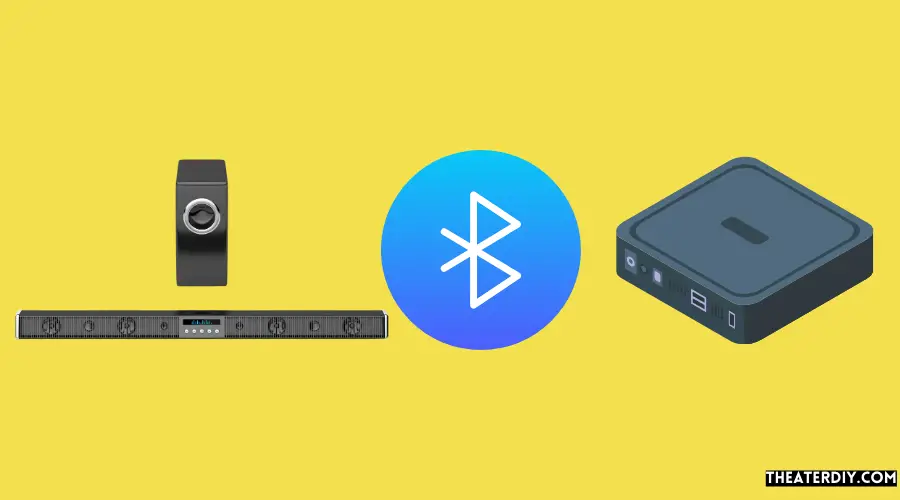
If you once get connected your Bluetooth receiver to your speakers, you may rest cause you have done the hardest part. Now it is time to pair your speaker with the Bluetooth receiver.
Firstly, you need to turn on your Bluetooth receiver. If you have powered/active speakers, after turning on the Bluetooth receiver, plug them in. The next step is to set your Bluetooth receiver to pair. At last, turn on Bluetooth on your speaker and pair it with your Bluetooth receiver. Thus, you will be able to broadcast audio to your speakers.
-our editorial board has reviewed this article and has been approved for publication according to our editorial policy.
Best Seller List of Bluetooth Speakers:
You May Also Like…
- How to Make Regular Speakers Wireless?
- The 10 Best Surge Protectors for Home Theater
- 5.1 vs. 7.1 Surround Sound: Which Is Better?
- Connect TV to Receiver Without HDMI
- What is the Difference Between a 2.1 and 5.1 Soundbar?
Last update on 2026-11-05