If you want to start watching movies and playing games on your projector with full of brightness, immersive 100″ images, and you want to turn on the projector and use it immediately. Sometimes you may have a question that whether you need to wait for a few seconds for the component to warm up?
YES. Projectors need to be operated at a certain temperature. If you turn it on outside of that range, it needs a warm-up time before it can work. Conventional projectors require two minutes of warm-down time before achieving operational brightness.
Projectors need to warm up so that they can produce bright and detailed images. Moreover, it also helps to extend the bulb’s life. There are some reasons why your projector bulbs need some time before they can give their best performance.
Always remember to follow a warm-up process whenever you use a projector because it is very important. You have to warm up every time you use a projector. It does not matter whether you are going to use it as a movie or a video game.
There are some important reasons why you should wait some time before you start to use it after having turned it on. Some of the reasons are also correlated to the inner components of the bulb.
Why do Projector Bulbs Take Time to “Warm Up”?
Actually, projector lights are not like normal lights. They need some time to produce light. Standard bulbs in light can instantly light an area after you turn it on, but the projector’s light needs time to get ready. So warming up helps extend the bulb’s life because projector lamps are not designed to receive an electrical spark immediately.
Moreover, most of the less expensive projector bulbs can even short-circuit if they do not get time to be prepared. With more expensive projector bulbs, you might not face anything like that, but it will obviously shorten the bulb’s life if you do not wait. Warming up your projector is also important for some other reason as well including for colors.
A projector needs only a few seconds to establish accurate colors when your component is only at room temperature. The images from the connected devices aren’t as bright, sharp, or clear. Moreover, besides the preparation phase, projector bulbs also need to cool down. You will see more about it below.
Why Projector Bulbs Need to Cool Down
If you allow your projector to cool down, it will also help to extend the life of your bulb. Manufacturers also thought of this while designing the component. Manufacturers design these bulbs to provide thousands of hours of light so that consumers don’t have to change the bulb for several years.
The Importance of the Warm-Up and Cool Down Phase for Projectors


If you have a modern projector, it will only take 30 to 40 seconds to warm up the projector bulb. It will also take the same amount of time to cool down. This time is not so long. Still, sometimes you can easily get impatient and rush into it anyway. But remember, if you try to do that, then you will get the result in images that will be difficult to see.
All the colors can be faded, details can be blurry, and images can look dark and dirty on the screen. After several seconds, it will be fixed, and the picture quality will also improve, but you have shortened the life of the projector bulb. If you skip the cool-down function, it can damage your projector bulb, even if it can be harmful to your projector. If you are in a rush to transfer your equipment from one room to another, you can easily cut power by unplugging the projector from the outlet.
However, If you skip any of the important control steps, the bulb can instantly go dark. So you can say that you have to learn many things before you start to use a projector. Because without knowing if you do anything, it can be harmful to both your projector and yourself. You also have to know how to look out for when a bulb actually dies.
What Happens When a Projector Bulb “Dies”
The warming up and cooling functions are important for extending the bulb. Changing a light bulb is so simple and easy. You just have to unscrew the old, burned-out bulb and put a new one. But changing a projector light is not as easy as changing a light bulb. Mostly the manufacturer changes the projector bulb. So you have to send it to the manufacturer. Moreover, you have to pay for the new bulb, including the cost of shipping your projector back to the manufacturer.
You can also change the projector bulb in local repair shops. For this, you do not have to pay for shipping, but still, you have to pay for the bulb replacement and also for the labor. So you can say that changing the projector bulb is quite a costly thing. It will be better for you to take better care of your equipment so that it can last much longer.
How to Know When You Need a New Projector Bulb


The main way of knowing when you have to change the projector bulb and get a new one is if the bulb is no lighting at all. If you ever face this situation, you have to take it to the store or the manufacturer to change the projector bulb. Moreover, there are a few ways to know when your projector bulb is on its way out. Here you can see some of the reasons.
There’s a “Popping” Sound
After turning on your projector, if you hear any type of popping noise, it can be the noise of your projector bulb going out. After a few seconds, your projector bulb hasn’t turned on, then you should look for replacing the bulb.
Warning Message Appears
Most of the modern projectors like the Optoma HD146X (on Amazon) come with a warning feature that sends an alert when the bulb is nearing to go out. This indicating feature can use anything from a small indicator light on the projector to a warning message appearing on the screen to indicate you. After replacing the bulb, you have to reset this function to work well in the future.
Dim On-Screen Images
If the picture quality is not as good as before and the images aren’t as crisp and bright, then your projector bulb might be dim. It is also a sign that your projector bulb needs replacing. If you do not take any step after someday, you will hear the popping sound that indicates the bulb has died.
Blurred Colors
One of the advantages of using a projector is image clarity. But if the image quality is getting blurry and all the colors are fading, then there must be a problem with the projector bulb. Now the bulb is not as powerful as before. So it cannot give you the clear images that you’ve come to expect.
Flickering On-Screen Images
If your projector is not damaged at all, but still the images are flickering on-screen, then you can be sure that the projector bulb is getting ready to go out. Still, it can last for several months, but you will see that the picture quality is getting worse day by day.
Conclusion
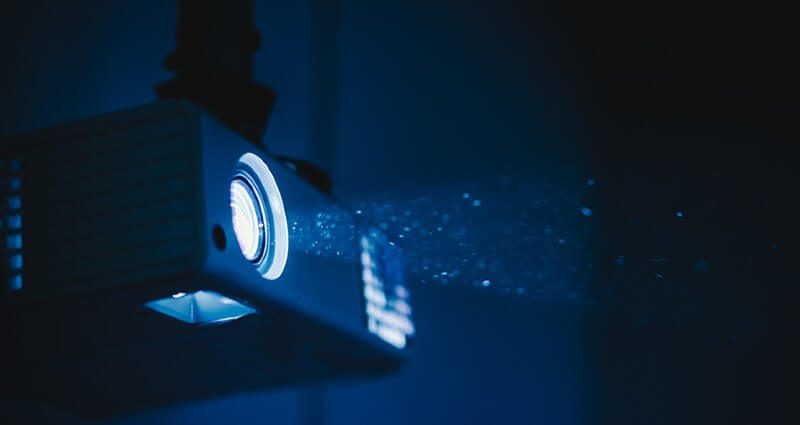
Home theatre projectors also come with bulbs. As with normal light bulbs, projector bulbs also burn out, but they can run for a significantly long time with the proper care. These bulbs are designed to last for several years even if you use the projector daily for hours. One of the reasons behind these bulb’s longevity is it’s expensive and difficult to change. Not every projector owner can change the projector bulb by themselves at home.
By taking the perfect care of your projector bulb, you can extend its life and save the replacement cost. The most effortless way to extend the life of the projector bulb is to give it enough warm-up and cool back downtime. You will feel great when you have consistently bright and colorful images on the screen because you have waited.
-our editorial board has reviewed this article and has been approved for publication according to our editorial policy.
Best Seller List of Projectors:
Last update on 2026-11-05