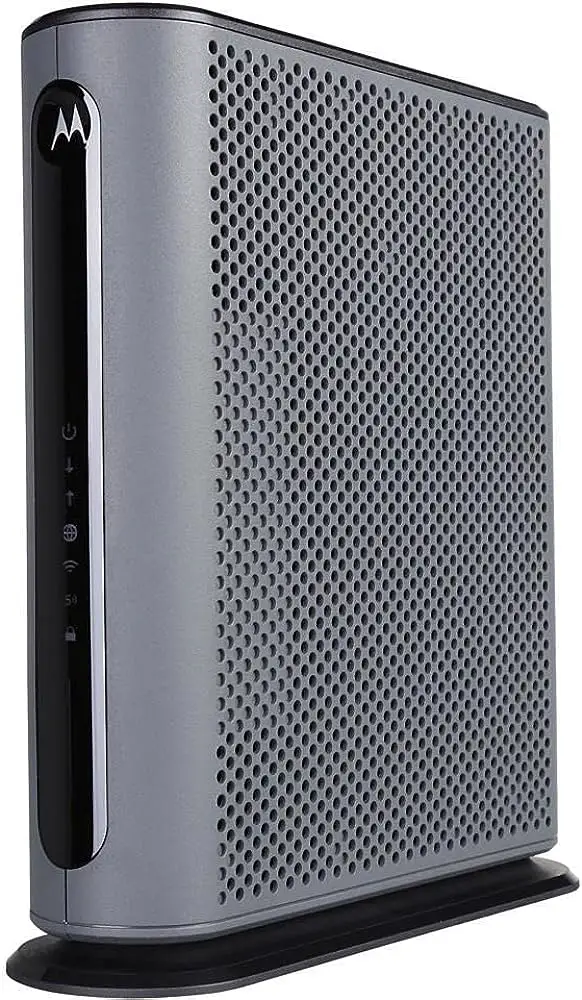
Spectrum requires customers to use an authorized modem for optimal service performance on their network. Customers have the option to buy their own modem and router, but may face return fees or other issues when returning rented equipment to the provider.
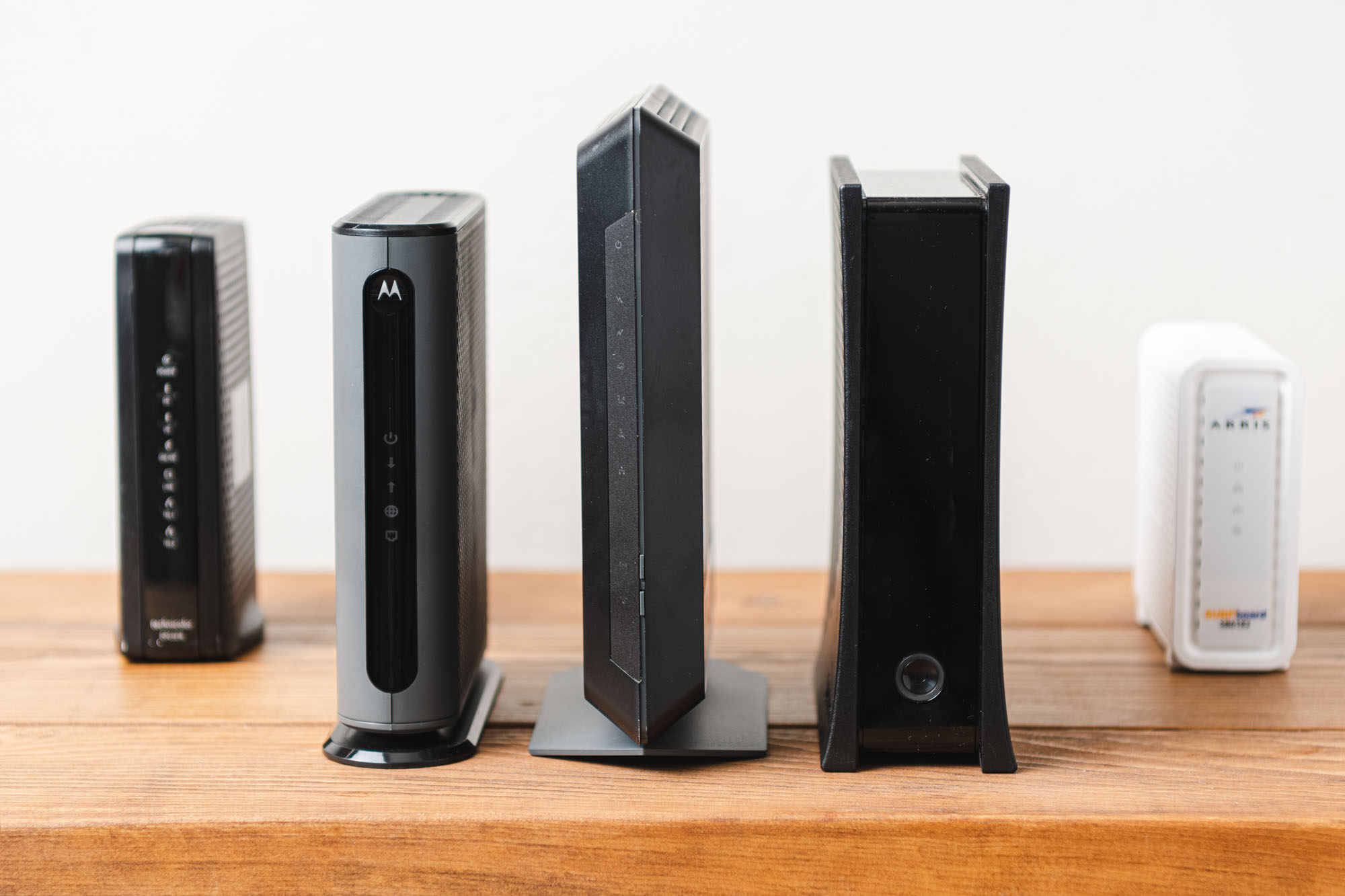
Netgear modems are compatible with Spectrum, offering better speeds and cost savings compared to monthly equipment rental fees. Spectrum also provides a compatible router for a monthly fee, or customers can use their own router. ARRIS, Motorola, and NETGEAR are among the approved modem manufacturers for Spectrum.
Why Using Your Own Modem Can Improve Your Internet Speed
Spectrum’s Modem Policy and the Impact on Internet Speed
When it comes to internet speed, the type of modem you use can make a significant difference. Spectrum, one of the leading internet service providers, has a modem policy in place for its customers. According to Spectrum’s modem policy, subscribers are required to use an authorized modem for use on the Spectrum network. But what does this mean for your internet speed?
Using an Authorized Modem to Optimize Service Performance
Using an authorized modem that has passed Spectrum’s full performance certification testing can greatly optimize service performance. Spectrum recommends customers to use devices that meet their performance standards, ensuring that you get the best possible internet speed and reliability.
By using an authorized modem, you can expect faster download and upload speeds, reduced latency, improved signal strength, and a smoother overall internet experience. This is especially important if you often stream movies or TV shows, play online games, or work from home, where a stable and fast internet connection is paramount.
Renting vs Buying a Modem: Cost Implications and Performance Benefits
If you are a Spectrum customer, you have the option to either rent or buy a modem. Let’s take a look at the cost implications and performance benefits of each choice.
Renting a Modem:
- Renting a modem from Spectrum means you pay a monthly fee for the modem, which can add up over time.
- This option may be suitable for those who prefer not to invest in their own equipment upfront.
- However, renting a modem might lead to limitations in terms of performance and speed, as you may not have access to the latest technology.
Buying a Modem:
- Buying your own modem gives you more control over your internet service and helps you save money in the long run.
- You can choose a modem that suits your specific needs, ensuring better performance and compatibility with Spectrum’s network.
- When you own your modem, you can upgrade to a newer model whenever you need to, keeping up with the latest advancements in internet technology.
Overall, using your own authorized modem can improve your internet speed and provide a better online experience. Whether you choose to rent or buy a modem, it’s important to consider the cost implications and performance benefits in order to make an informed decision that aligns with your needs and budget.
Credit: www.yourbestdigs.com
Benefits Of Using Your Own Modem With Spectrum
Benefits of Using Your Own Modem with Spectrum
Using your own modem with Spectrum comes with several advantages that can greatly improve your internet experience. Let’s explore the benefits of using your own modem.
Eliminating rental fees and saving money in the long run
One of the greatest benefits of using your own modem with Spectrum is the ability to eliminate costly rental fees. By investing in your own modem, you can avoid monthly rental charges and save a significant amount of money in the long run. Rather than paying these recurring fees, you can make a one-time purchase and enjoy the cost savings for as long as you use the modem.
Increased control over your internet connection
When you use your own modem with Spectrum, you gain increased control over your internet connection. With a modem that you own, you have the freedom to customize settings and optimize performance according to your specific needs. Whether you want to prioritize certain devices, set up parental controls, or fine-tune your network for optimal speed, having control over your modem allows you to tailor your internet experience to suit your preferences.
Flexibility to upgrade or switch internet providers without equipment return issues
Another significant advantage of using your own modem with Spectrum is the flexibility it offers when it comes to upgrading your internet service or switching providers. Many times, when you rent a modem from your internet provider, you may encounter complications when trying to return the equipment. By using your own modem, you can avoid these issues altogether. Whether you decide to upgrade your internet speed with Spectrum or switch to a different provider, you won’t have to worry about returning any equipment, making the transition seamless and hassle-free.
In conclusion, using your own modem with Spectrum brings numerous benefits, including the elimination of rental fees, increased control over your internet connection, and flexibility to upgrade or switch providers without any equipment return issues. By harnessing these advantages, you can enjoy a more cost-effective, personalized, and trouble-free internet experience.
Choosing The Right Modem For Spectrum
When it comes to choosing the right modem for your Spectrum internet connection, understanding the compatibility requirements and evaluating the features and specifications is crucial. Spectrum recommends customers to use modems that have passed their performance certification testing. This ensures optimal service performance and allows you to have better control over your internet equipment.
Understanding compatibility requirements for Spectrum’s network
Before making a purchase, it is important to ensure that the modem you choose is compatible with Spectrum’s network. Spectrum requires its internet customers to use authorized modems to connect to their network. This ensures smooth and reliable connectivity. By using an authorized modem, you can avoid any compatibility issues and have a seamless internet experience.
Recommended modems that have passed performance certification testing
Charter Spectrum recommends customers to use modems that have passed their full performance certification testing. This helps to guarantee optimal service performance and ensures that the modem you choose will work well with Spectrum’s network. By selecting a recommended modem, you can be confident that it has undergone rigorous testing and meets Spectrum’s standards of quality and reliability.
To help you make an informed decision, here are a few Spectrum-compatible modems that have passed performance certification testing:
| Brand | Model | Max Download Speed | Features |
|---|---|---|---|
| Netgear | Nighthawk CM1000 | 1 Gbps | DOCSIS 3.1 compatible, Gigabit Ethernet port |
| ARRIS | SB6183 | 686 Mbps | DOCSIS 3.0 compatible, 16×4 channel bonding |
| Linksys | CM3024 | 960 Mbps | DOCSIS 3.0 compatible, 24×8 channel bonding |
Evaluating features and specifications to ensure optimal performance
Aside from compatibility, it is important to evaluate the features and specifications of the modems you are considering. Here are some factors to consider:
- Download and upload speeds: Ensure that the modem supports the maximum download and upload speeds offered by your Spectrum internet plan.
- DOCSIS compatibility: Spectrum primarily uses DOCSIS technology, so look for a modem that is DOCSIS 3.0 or higher compatible for optimal performance.
- Channel bonding: Modems with a higher number of downstream and upstream channels provide better bandwidth and can handle multiple devices simultaneously.
- Ethernet ports: If you have multiple devices that require a wired connection, consider a modem with multiple Gigabit Ethernet ports.
- Security features: Look for modems that offer advanced security features such as firewall protection and built-in VPN support to keep your network secure.
By carefully evaluating the features and specifications of different modems, you can choose the one that best suits your needs and ensures optimal performance for your Spectrum internet connection.
In conclusion, choosing the right modem for Spectrum is crucial for a reliable and fast internet connection. Understanding the compatibility requirements, considering recommended modems that have passed performance certification testing, and evaluating features and specifications will help you make an informed decision and ensure a seamless internet experience.
Setting Up Your Own Modem With Spectrum
Setting up your own modem with Spectrum not only gives you the freedom to choose a device that fits your needs, but it also allows you to save money in the long run. By following a few simple steps, you can have your own modem up and running in no time, ensuring a seamless internet connection experience.
Step-by-step guide to activating your modem with Spectrum
- Start by gathering all the necessary information. You will need the serial number and MAC (Media Access Control) address of your modem, as well as your Spectrum account details.
- Connect your modem to the cable outlet using a coaxial cable.
- Power on your modem and allow it to initialize.
- Connect your modem to your computer or router using an Ethernet cable.
- Open your preferred web browser and enter 192.168.1.1 into the address bar.
- You will be prompted to log in. Enter the default username and password provided by the manufacturer or consult your modem’s user manual.
- Once logged in, navigate to the settings or configuration page.
- Here, you will find an option to activate your modem. Click on it and follow the on-screen instructions.
- After activation is complete, your modem will reboot.
- Once rebooted, your modem is ready to use with Spectrum.
Troubleshooting tips for a smooth setup process
While setting up your own modem with Spectrum is relatively straightforward, you may encounter some challenges along the way. Here are a few troubleshooting tips to help you navigate any issues:
- If your modem fails to initialize, double-check that it is properly connected to the cable outlet and that the power is on.
- If you experience connectivity issues, try power-cycling your modem by unplugging it from the power source, waiting for 30 seconds, and then plugging it back in.
- If you are unable to access the configuration page, ensure that you have entered the correct IP address (192.168.1.1) into your web browser.
- Make sure that you are using an Ethernet cable to connect your modem to your computer or router, as a Wi-Fi connection may not provide a stable connection during the setup process.
Configuring your modem for optimal internet speed and performance
Once your modem is activated and connected, it’s important to configure it for optimal internet speed and performance. Here are a few steps you can take:
- Access the configuration page of your modem using the default IP address.
- Navigate to the settings or configuration section that allows you to modify connection parameters.
- Ensure that your modem is using the latest firmware version. If an update is available, follow the manufacturer’s instructions to install it.
- Adjust the channel settings to minimize interference from other Wi-Fi networks in your area.
- Enable encryption, such as WPA2, to secure your Wi-Fi network.
- Consider configuring Quality of Service (QoS) settings to prioritize certain devices or applications for a better internet experience.
- Save the changes and reboot your modem to apply the new settings.
By following these steps and troubleshooting tips, you can successfully set up your own modem with Spectrum and enjoy a reliable and high-performing internet connection.
Tips For Optimizing Your Internet Speed With Your Own Modem
Updating firmware and drivers for improved performance
To ensure optimal internet speed with your own modem, one important step is to regularly update the firmware and drivers. Firmware is the software embedded within the modem that controls its operations, while drivers are software programs that allow the modem to communicate with your computer or other devices. By keeping both up-to-date, you can take advantage of the latest performance improvements and bug fixes. Updating the firmware is usually straightforward. First, visit the manufacturer’s website and locate the support page for your specific modem model. Here, you will find the latest firmware version available for download. Follow the instructions provided to install the update. It’s worth noting that the process may differ slightly between manufacturers, so be sure to consult the user manual or online resources for specific guidance. Similarly, updating the drivers for your modem can enhance its compatibility and performance. Begin by identifying the manufacturer and model of your modem. Visit the manufacturer’s website and locate the support section. Look for the drivers specifically designed for your modem model and operating system. Download the latest drivers and follow the installation steps outlined by the manufacturer. This ensures that your modem can communicate efficiently with your computer or other connected devices, maximizing your internet speed.Adjusting network settings and optimizing Wi-Fi channels
Another effective way to optimize your internet speed with your own modem is by adjusting network settings and optimizing Wi-Fi channels. These settings can significantly impact your connection speed and overall performance. By making a few tweaks, you can potentially see noticeable improvements. One important setting to adjust is the MTU (Maximum Transmission Unit). The MTU determines the largest packet size allowed for data transmission over the network. By optimizing the MTU value, you can reduce packet fragmentation and improve the efficiency of your internet connection. To optimize the MTU, access your modem’s settings page by entering its IP address into a web browser. Locate the MTU settings and adjust them accordingly. It is recommended to consult the modem’s user manual or manufacturer’s support resources for specific instructions. Additionally, optimizing Wi-Fi channels can help minimize interference and maximize network performance. In areas with many Wi-Fi networks, the channels can become congested, leading to slower internet speeds. To optimize your Wi-Fi channels, utilize a Wi-Fi analyzer tool to identify the least crowded channels in your area. Access your modem’s settings page, locate the Wi-Fi channel settings, and manually select the channel with the least interference. This ensures a clearer Wi-Fi signal and faster speeds.Monitoring and managing connected devices to prevent bandwidth congestion
To maintain optimal internet speed with your own modem, it is essential to monitor and manage the devices connected to your network. Bandwidth congestion can occur when multiple devices are simultaneously using the internet, leading to slower speeds for all. By managing your connected devices effectively, you can prevent congestion and ensure each device receives sufficient bandwidth. One way to manage your devices is by setting up quality of service (QoS) rules. QoS allows you to prioritize certain devices or applications over others, ensuring that critical tasks, such as video streaming or online gaming, receive the necessary bandwidth. Access your modem’s settings page and locate the QoS settings. Follow the provided instructions to set up rules based on device or application priority. Additionally, regularly monitoring your network activity can help identify bandwidth-hungry devices. There are various network monitoring tools available that can provide valuable insights into the devices consuming the most bandwidth. By identifying such devices, you can take necessary actions to optimize their usage or limit their access to the network during peak times. In conclusion, optimizing your internet speed with your own modem involves updating firmware and drivers, adjusting network settings and optimizing Wi-Fi channels, and monitoring and managing connected devices. By following these tips, you can ensure a fast and reliable internet connection for all your online activities.Common Issues And Solutions When Using Your Own Modem With Spectrum
When it comes to using your own modem with Spectrum, there are a few common issues that users may encounter. However, with the right troubleshooting steps and customer support, most of these issues can be easily resolved. In this section, we will discuss how to deal with compatibility issues and troubleshoot any problems that may arise, as well as how to handle customer support and technical assistance for modem-related issues. We will also explore the benefits and drawbacks of self-installation compared to professional installation services.
Dealing with compatibility issues and troubleshooting steps
If you choose to use your own modem with Spectrum, it’s important to ensure that your modem is compatible with their network. Spectrum provides a list of authorized modems that have been tested for optimal performance. However, if you experience any compatibility issues, there are a few troubleshooting steps you can take to resolve them:
- Check the modem’s firmware: Ensure that your modem’s firmware is up to date. Outdated firmware can cause compatibility issues with Spectrum’s network.
- Restart your modem: Sometimes, a simple restart can resolve connection issues. Unplug your modem, wait for a few seconds, and then plug it back in.
- Check the cable connections: Make sure all the cables are securely connected to your modem and the appropriate ports on your device.
- Contact Spectrum support: If the issues persist, reach out to Spectrum’s customer support for assistance. Provide them with specific details about the problem you are facing, and they will be able to guide you through further troubleshooting steps.
If you encounter any difficulties while using your own modem with Spectrum, their customer support team is available to assist you. Here’s how you can approach customer support for help:
- Call Spectrum’s customer support: Contact Spectrum’s customer support helpline and explain the issue you are facing with your modem. They will provide guidance and troubleshoot the problem with you over the phone.
- Request a technician visit: If the troubleshooting steps don’t resolve the issue, Spectrum can schedule a technician to visit your location and take a look at your setup. They will diagnose and fix any problems with your modem.
- Utilize online support resources: Spectrum also offers online support resources such as FAQs, forums, and guides that can help you troubleshoot common modem-related issues. These resources can be accessed through their official website.
Benefits and drawbacks of self-installation compared to professional installation services
When it comes to installing your modem, you have the option of self-installation or professional installation services provided by Spectrum. Here are the benefits and drawbacks of each:
| Self-installation | Professional installation |
|---|---|
|
|
Ultimately, the choice between self-installation and professional installation depends on your technical expertise and preference. If you are comfortable with technology and troubleshooting, self-installation can be a convenient and cost-effective option. However, if you prefer expert assistance and peace of mind, professional installation can ensure a smoother setup process.
Conclusion: Enhancing Your Internet Experience With Spectrum And Your Own Modem
Recap of the benefits and savings of using your own modem
Using your own modem with Spectrum offers numerous benefits and savings. Let’s recap some of the key advantages:
- Cost savings: By using your own modem, you can avoid monthly rental fees charged by Spectrum for their equipment. This can add up to significant savings over time.
- Flexibility and ownership: Owning your modem gives you the freedom to customize and control your internet setup according to your needs. You are not bound by the limitations of Spectrum’s provided equipment.
- Improved performance: Spectrum-approved modems undergo full performance certification testing, ensuring optimal service performance. By using one of these modems, you can experience faster and more reliable internet speeds.
- Easy installation: Self-installing your own modem is a straightforward process, and there are plenty of resources available, such as instructional videos, to guide you through the setup.
In summary, using your own modem gives you more control, saves you money, and allows for better performance, making it a smart choice for Spectrum internet customers.
Final thoughts on improving internet speed and customer experience with Spectrum
Enhancing your internet speed and customer experience with Spectrum doesn’t stop at using your own modem. Here are some final thoughts to ensure you get the most out of your internet service:
- Router upgrades: While using your own modem is important, upgrading your router can further improve your internet experience. Look for routers that support the latest Wi-Fi standards for faster and more reliable connections.
- Positioning your equipment: Ensure that your modem and router are placed in a central location, away from obstructions, to provide optimal coverage throughout your home.
- Regular maintenance: Occasionally restarting your modem and router can help resolve any intermittent connection issues and keep your internet running smoothly.
- Keep software updated: Check for firmware updates for your modem and router regularly to ensure you have the latest features and security patches.
By following these tips, you can maximize your internet speed and overall customer experience with Spectrum, providing you with a seamless and reliable internet connection for all your online activities.
Frequently Asked Questions On Spectrum Use Own Modem
Will Spectrum Let Me Use My Own Modem?
Yes, Spectrum allows you to use your own modem. However, they recommend using modems that have passed their performance certification testing for optimal service.
Can I Buy A Modem Instead Of Renting From Spectrum?
Yes, you can buy your own modem instead of renting from Spectrum. However, be aware of potential equipment return fees and other issues when returning rented equipment to your internet provider.
How Do I Activate My Modem With Spectrum?
To activate your modem with Spectrum, follow these steps: 1. Purchase a compatible modem from manufacturers like ARRIS, Motorola, or NETGEAR. 2. Connect your new modem to the coaxial cable and power source. 3. Call Spectrum customer service at [insert phone number] to activate your modem.
4. Provide them with your account information and modem details. 5. Wait for confirmation from Spectrum that your modem is activated and ready to use. Note: It is recommended to use an authorized modem that has passed Spectrum’s performance certification testing for optimal service performance.
Do Netgear Modems Work With Spectrum?
Yes, Netgear modems work with Spectrum. Spectrum recommends using approved modems for optimal service performance. Netgear offers cable modems that provide better speeds and quality, saving you from monthly rental fees. Spectrum works with modems from various manufacturers including Netgear.
Conclusion
Owning your own modem instead of renting from Spectrum comes with numerous benefits. By using your own modem, you have more flexibility and control over your internet service. You can choose a modem that meets your specific needs and provides optimal performance.
Additionally, owning your own modem can save you money in the long run, as you won’t have to pay monthly rental fees. With a wide range of Spectrum compatible modems available, you can easily find the perfect modem for your internet connection.
Upgrade your internet experience today by using your own modem with Spectrum.
