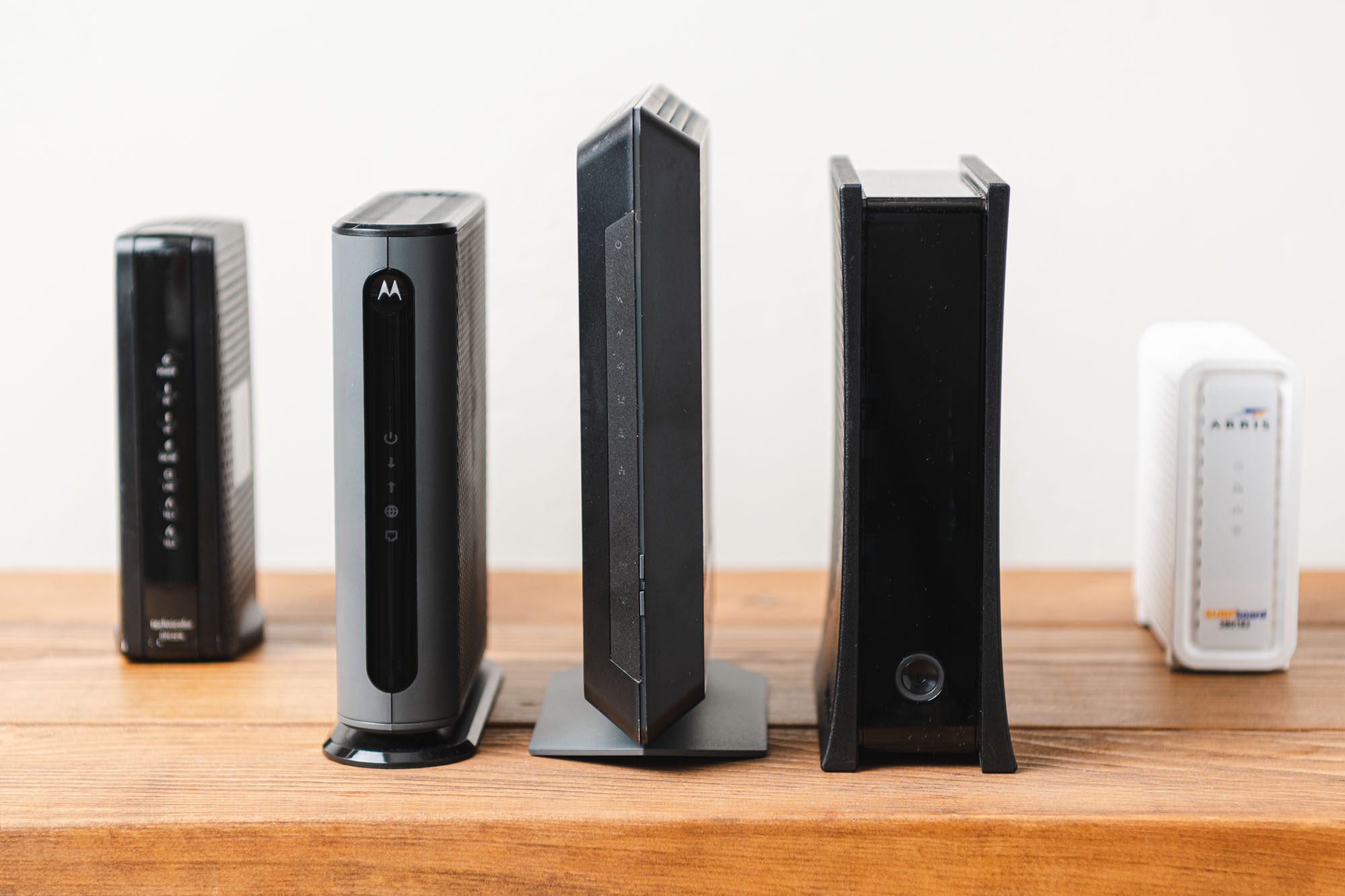
Use your own modem with Spectrum by checking their updated list of approved modems from manufacturers like ARRIS, Motorola, and NETGEAR. Spectrum requires customers to use authorized modems for optimal service performance.
However, purchasing your own modem can save you money in the long run, instead of renting one from Spectrum for a monthly fee.

Credit: www.amazon.com
Why Using Your Own Modem With Spectrum Is Beneficial
How To Choose A Compatible Modem For Spectrum
Check Spectrum’s approved modems list
Before choosing a compatible modem for Spectrum, it is essential to check Spectrum’s approved modems list. Spectrum works with modems from manufacturers such as ARRIS, Motorola, and NETGEAR. However, not all modems are compatible with Spectrum’s network. By referring to the approved modems list provided on Spectrum’s website, you can ensure that the modem you choose meets the necessary requirements and will provide optimal service performance.
Consider modem capabilities and features
When selecting a compatible modem for Spectrum, it is crucial to consider the modem’s capabilities and features. Look for a modem that supports DOCSIS 3.0 or higher, as this ensures compatibility with Spectrum’s network. Additionally, consider the download and upload speeds supported by the modem, as well as the number of channels it can handle. A modem with higher channel bonding capabilities will provide faster internet speeds and better performance, especially during peak usage times.
Check customer reviews and experiences
Before making a final decision, it’s always a good idea to check customer reviews and experiences with the modem you are considering. Reading reviews from other Spectrum customers can give you valuable insights into the modem’s reliability, performance, and compatibility with Spectrum’s network. Look for reviews that mention consistent download speeds, ease of setup, and overall customer satisfaction. Taking the time to research and gather feedback from other users can help you make an informed decision and choose a compatible modem that meets your needs.
Steps To Set Up Your Own Modem With Spectrum
If you’re tired of renting a modem from Spectrum and want to take control of your internet experience, setting up your own modem is a great option. It not only saves you money in the long run, but it also allows you to choose a modem that suits your specific needs. In this guide, we’ll walk you through the steps to set up your own modem with Spectrum.
Purchase a compatible modem
Before you can set up your own modem with Spectrum, you’ll first need to purchase a compatible modem. Spectrum works with a variety of modems from manufacturers such as ARRIS, Motorola, and NETGEAR. To ensure optimal performance, it is recommended to use a modem that has passed Spectrum’s full performance certification testing.
Here is a list of some of the best Spectrum compatible modems available:
| Modem | Model |
|---|---|
| Netgear Nighthawk Multi-Gig Speed Cable Modem | CM2000 |
| High-speed modem router | NETGEAR Modem Router Combo |
| Netgear Nighthawk Cable Modem | CM1200 |
Make sure to check Spectrum’s website for an updated list of approved modems.
Gather necessary equipment and information
Once you have your compatible modem, gather the necessary equipment and information to ensure a smooth setup process. Here’s what you’ll need:
- A power cord and an Ethernet cable
- Your Spectrum account information, including your account number and phone number
- The MAC address and serial number of your new modem (usually found on the back or bottom of the device)
Connect and activate your new modem
Now it’s time to connect and activate your new modem. Follow these steps:
- Locate the coaxial cable that is currently connected to your Spectrum provided equipment and disconnect it.
- Connect one end of the coaxial cable to the back of your new modem, in the “Cable In” or “RF In” port.
- Connect one end of the Ethernet cable to the back of your new modem, in one of the Ethernet ports.
- Connect the other end of the Ethernet cable to your computer or router.
- Plug in the power cord to your new modem and then into an electrical outlet.
- Wait for the modem to power on and establish a connection with the Spectrum network. This may take a few minutes.
- Once your modem is activated, open a web browser and follow the on-screen instructions to complete the activation process.
By following these steps, you’ll be able to successfully set up your own modem with Spectrum. Enjoy the freedom and control that comes with using your own equipment!
Troubleshooting Tips For Using Your Own Modem With Spectrum
Ensure proper installation and connections
To troubleshoot any issues with using your own modem with Spectrum, it is essential to ensure proper installation and connections. Here are some tips to help:
- Double-check that all cables are securely connected to the correct ports on your modem and Spectrum’s network devices.
- Make sure the power adapter is firmly plugged into an electrical outlet and connected to your modem.
- Verify that the Ethernet cable from your modem is connected to the appropriate port on your computer or wireless router.
- Confirm that your modem’s configuration settings are correctly set according to Spectrum’s guidelines.
Check for firmware updates
Outdated firmware can cause compatibility issues and hinder the performance of your modem with Spectrum. To troubleshoot problems related to firmware, follow these steps:
- Access your modem’s user interface by typing its IP address into your web browser. You can find this information in the user manual or on the manufacturer’s website.
- Locate the firmware section within the user interface and check if there are any available updates.
- If updates are available, download and install them according to the manufacturer’s instructions.
- After updating the firmware, restart your modem and test if the issues have been resolved.
Contact Spectrum customer support if needed
If you have followed the troubleshooting tips mentioned above and are still experiencing difficulties, it is advisable to contact Spectrum’s customer support for assistance. Here’s how:
- Dial the Spectrum customer support number and explain the issue you are facing.
- Provide any relevant information, such as the make and model of your modem and a detailed description of the problem.
- Follow the instructions provided by the customer support representative to troubleshoot further or schedule a technician visit if necessary.
By following these troubleshooting tips, you can resolve common issues encountered when using your own modem with Spectrum. Ensuring proper installation and connections, checking for firmware updates, and seeking assistance from Spectrum’s customer support when needed are crucial steps in troubleshooting and maintaining a stable and reliable internet connection.
Faqs About Using Your Own Modem With Spectrum
Here are some frequently asked questions about using your own modem with Spectrum:
What is Spectrum’s modem policy?
Spectrum requires its Internet subscribers to use an authorized modem that has passed their full performance certification testing. This ensures optimal service performance for customers. To provide the best experience, Charter recommends using modems that are on their approved list.
For more information, you can visit Spectrum’s website and refer to their Modem Policy page: https://www.spectrum.com/docsis-modem-policy
Can I use different modems with Spectrum?
Yes, Spectrum works with modems from various manufacturers including ARRIS, Motorola, and NETGEAR. However, it is important to note that Spectrum updates its list of approved modems on their website regularly. We recommend avoiding modems listed as minimally qualified, as they may not provide consistent download speeds.
To find a list of the best Spectrum compatible modems, you can visit CableTV.com: https://www.cabletv.com/spectrum/best-compatible-modems
Is it better to use your own router with Spectrum?
While Spectrum customers are required to use an authorized modem, the company also offers a preconfigured Wi-Fi router for a monthly fee. However, this can add up over time. If you purchase your own router, it can save you money in the long run. Additionally, using your own router can give you more flexibility and control over your Wi-Fi network.
For a list of the best routers for Spectrum, you can check out Popular Science’s recommendations: https://www.popsci.com/gear/best-routers-for-spectrum
Can I buy a modem instead of renting from Spectrum?
Yes, you have the option to purchase your own modem instead of renting one from Spectrum. However, it is important to be aware of potential issues such as bogus equipment return fees or complications when returning rented equipment to your internet provider.
For more insights on renting vs. buying your router, modem, or gateway with Charter Spectrum, you can visit FairShake: https://fairshake.com/router-rent-vs-buy
If you need assistance or have further questions regarding authorized modems to use on the Spectrum network, you can visit Spectrum’s support page: https://www.spectrum.net/support/internet/compliant-modems
Frequently Asked Questions For Use Your Own Modem With Spectrum
Does Spectrum Let You Use Your Own Modem?
Yes, Spectrum requires customers to use an authorized modem for their network. They provide a list of recommended modems on their website for optimal service performance. You can also choose to buy your own modem instead of renting from Spectrum to save money.
Can You Use Different Modems With Spectrum?
Yes, you can use different modems with Spectrum. Spectrum works with modems from manufacturers like ARRIS, Motorola, and NETGEAR. Visit Spectrum’s website for an updated list of approved modems. It is recommended to use modems that have passed Spectrum’s performance certification testing for optimal service performance.
Is It Better To Use Your Own Router With Spectrum?
It is better to use your own router with Spectrum. Spectrum customers are required to use an authorized modem, and the company provides a preconfigured Wi-Fi router for a monthly fee. However, purchasing your own router can save money in the long run.
Can I Buy A Modem Instead Of Renting From Spectrum?
Yes, you can buy your own modem instead of renting from Spectrum. However, be aware that there may be equipment return fees or other issues when trying to return rented equipment to your internet provider.
Conclusion
Own. It not only saves you money in the long run but also gives you more control over your network. Spectrum’s modem policy allows for the use of approved modems from manufacturers like ARRIS, Motorola, and NETGEAR. By using your own modem, you can ensure optimal service performance and avoid inconsistent download speeds.
So, take advantage of this opportunity and enjoy a seamless internet experience with Spectrum by using your own modem.
