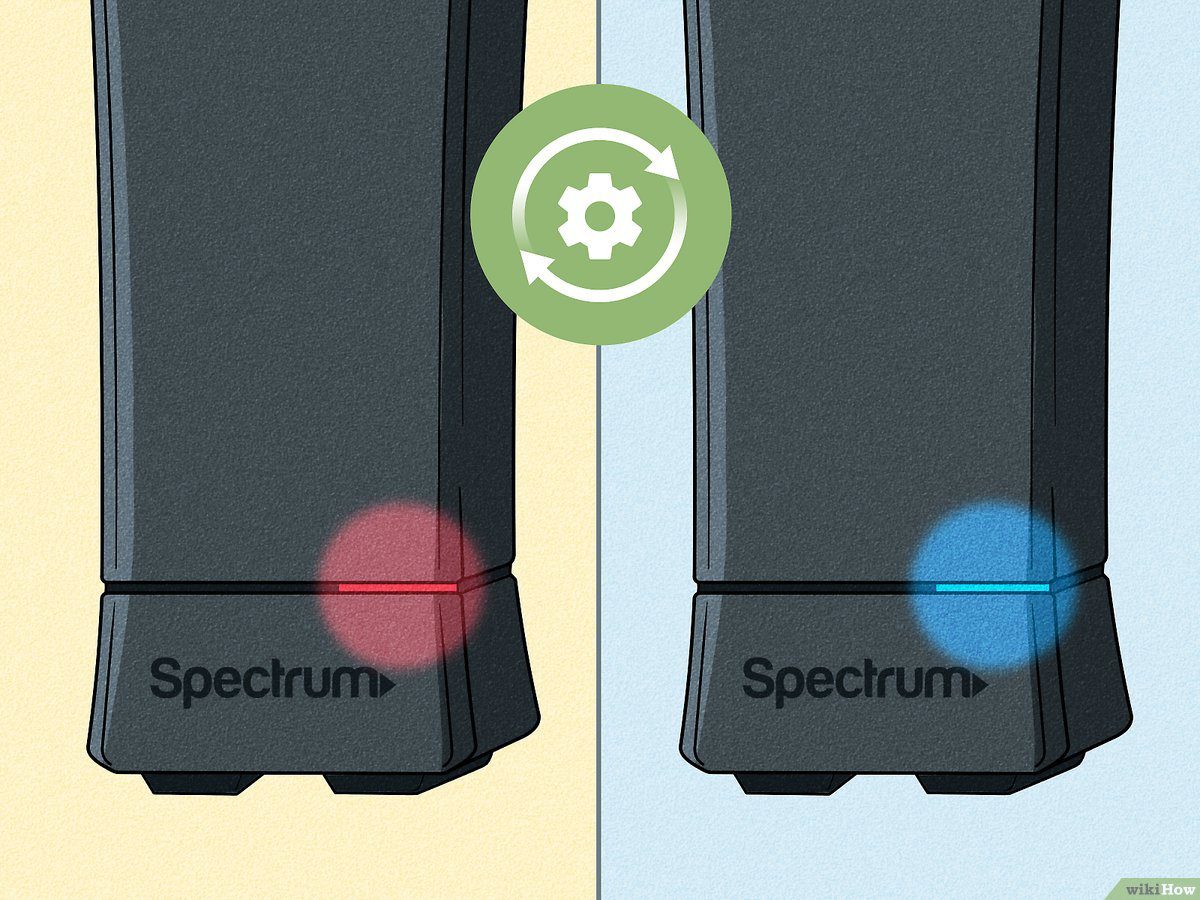
The blinking red light on your Spectrum device indicates a hardware or connectivity issue. If you notice a blinking red light on your Spectrum device, it is likely indicating a problem with the device itself or with the internet connection.
When faced with a blinking red light on your Spectrum device, it is essential to diagnose and resolve the issue promptly to restore normal functionality. This guide will provide you with insights into the possible causes and troubleshooting steps to fix the blinking red light issue.
Before diving into the possible solutions, it is crucial to understand the potential reasons behind a blinking red light on your Spectrum device. This light often indicates an error, signaling that something is wrong either with the device or its connection to the internet. By identifying the root cause, you can narrow down the troubleshooting steps and find the most effective solution to the problem.
Understanding The Spectrum Blinking Red Light Issue
Understanding the Spectrum Blinking Red Light IssueCommon causes of a blinking red light on Spectrum devices
A blinking red light on your Spectrum device can be quite alarming, but it is usually an indication of a specific issue. There are several common causes for this red light blinking, and understanding these causes can help us troubleshoot and resolve the problem quickly. Some of the main reasons for a blinking red light on Spectrum devices include: 1. Power issues: A frequently encountered cause is a power problem. It could be due to a power outage in your area or issues with the power supply to your device. Ensuring that your device is properly connected to a stable power source is the first step towards resolving this blinking red light issue. 2. Connection problems: Another common cause is a faulty or loose connection. Check all the cables and connections for any signs of damage or looseness. Tightening or replacing the cables as necessary might fix the issue if a loose connection is the culprit. 3. Signal problems: A weak or interrupted signal can trigger the blinking red light. This can occur due to various reasons such as interference from other devices, distance from the signal source, or even weather conditions. Verifying that your device is receiving a strong and stable signal is essential to resolve this issue.How the blinking red light affects different equipment
The blinking red light issue can affect different types of Spectrum equipment, including modems, routers, and cable boxes. Understanding how it impacts these devices is crucial in resolving the issue effectively. 1. Modems: A blinking red light on your modem indicates a problem with the internet connection. This can result in slow or no internet access for your devices. Identifying and addressing the underlying issue will help restore a stable internet connection. 2. Routers: A blinking red light on a router usually indicates an issue with the Wi-Fi network. This means that your devices might not be able to connect to the network, resulting in a loss of internet access. Troubleshooting the router’s settings and ensuring the network is properly configured can help resolve the issue. 3. Cable boxes: When a cable box displays a blinking red light, it typically signifies a problem with the TV signal. This can result in distorted or entirely blacked-out channels. Troubleshooting the cable box, checking the connections, and contacting your service provider for assistance are necessary steps to resolve the issue.How to identify if the blinking red light is a minor or major issue
Determining whether the blinking red light on your Spectrum device is a minor or major issue is essential in addressing the problem appropriately. While it can be caused by simple connectivity or power issues, it could also indicate a more significant problem. To identify the severity of the issue: 1. Check the user manual: Look up the specific blinking codes in the user manual provided by Spectrum. This will give you insight into the particular problem associated with the blinking red light. 2. Contact customer support: Reach out to Spectrum customer support for guidance. They have extensive knowledge and experience with these issues and can help you determine if it is a minor glitch or a major technical fault. 3. Consider the duration and frequency: If the blinking red light persists for an extended period or occurs frequently, it is likely a signal of a more severe problem. In such cases, it is advisable to seek professional assistance to diagnose and resolve the issue. Remember, it’s crucial not to ignore a blinking red light on your Spectrum device as it could indicate an underlying problem that needs attention. By understanding the common causes, how it affects different equipment, and how to determine the severity of the issue, you can effectively troubleshoot and resolve the blinking red light problem on your Spectrum device.
Credit: www.routerfreak.com
Quick Fixes For Spectrum Blinking Red Light
Are you experiencing a blinking red light issue with your Spectrum device? Don’t worry, we’ve got some quick fixes for you. In this article, we’ll guide you through the most effective solutions to resolve the blinking red light problem. Read on to find out how you can get your Spectrum device back to working perfectly.
Power cycling the device to resolve the blinking red light issue
One of the first troubleshooting steps you should try is power cycling your Spectrum device. Power cycling simply means turning off the device, unplugging it from the power source, waiting for a few seconds, and then plugging it back in and turning it on again. This can often resolve any temporary software glitches that may be causing the blinking red light.
Checking for loose connections and properly reseating cables
Another possible reason for the blinking red light is loose connections or improperly seated cables. Check all the cables connected to your Spectrum device and make sure they are securely plugged in. Sometimes, due to movement or accidental disconnection, cables can become loose. By reseating them properly, you can ensure a stable and uninterrupted connection, which may fix the blinking red light issue.
Verifying the power source and ensuring it is stable
Stability of the power source is crucial for the proper functioning of your Spectrum device. If you have multiple devices connected to the same power outlet or an unstable power source, it may lead to various issues, including the blinking red light problem. Ensure that the power source (outlet, surge protector, or power strip) is providing a consistent and steady power supply. Consider unplugging any unnecessary devices from the same power source and see if the blinking red light issue is resolved.
Resetting the Spectrum device to factory settings to fix blinking red light
If the above solutions didn’t work, you may need to reset your Spectrum device to its factory settings. Resetting the device will erase any customized settings and revert it back to its original state. To do this, locate the reset button on your Spectrum device (usually a small hole) and press it using a paperclip or a similar tool for about 10 seconds. After the device restarts, check if the blinking red light problem has been resolved.
By following these quick fixes, you can troubleshoot and resolve the blinking red light issue on your Spectrum device. Try each solution and see which one works for you. Remember to follow the correct steps and ensure the stability of the power source for optimal results. Happy streaming!
Advanced Troubleshooting Techniques For Spectrum Blinking Red Light
If you’re experiencing a Spectrum blinking red light issue, don’t panic. There are several advanced troubleshooting techniques you can try to diagnose and address the problem. In this article, we’ll explore various hardware, modem, router, cable box, signal, Wi-Fi, and TV-related issues that may be causing the blinking red light. By following these troubleshooting steps, you’ll be one step closer to a stable and reliable Spectrum connection.
Diagnosing and addressing specific hardware issues
If you notice a blinking red light on your Spectrum hardware, the first step is to check for any specific hardware issues. Make sure all cables are securely connected, and that there are no visible signs of damage or wear on the power cords, coaxial cables, and ethernet cables. In case you find any loose connections or damaged cables, replace them immediately to rule out any potential hardware problems.
A malfunctioning modem can often lead to a flashing red light on your Spectrum equipment. To troubleshoot modem-related issues, start by power cycling your modem. Simply unplug the power cord, wait for 30 seconds, and then plug it back in. This simple step can often resolve common modem issues. If the problem persists, you may need to contact Spectrum customer support or consider replacing your modem.
Diagnosing issues with the router and possible solutions
If you’re using a separate router along with your Spectrum modem, it’s essential to diagnose any issues with the router. Start by power cycling the router, similar to the modem troubleshooting steps mentioned earlier. Additionally, ensure that the router’s firmware is up to date by checking the manufacturer’s website for any available updates. Compatibility issues with the router or other connected devices can also cause the blinking red light. Make sure all devices are compatible and consider contacting the router manufacturer for further assistance.
If you’re experiencing a blinking red light on your Spectrum cable box, there are a few steps you can take to identify and resolve the issue. First, check that the cable box is properly connected to the TV and power supply. Ensure that the cables are undamaged and correctly inserted into their respective ports. If the blinking red light continues, try power cycling the cable box by unplugging it from the power source, waiting for 30 seconds, and plugging it back in. If the issue persists, contact Spectrum customer support for further assistance.
Signal strength and interference can sometimes cause a blinking red light on your Spectrum devices. To address signal-related issues, start by checking the signal strength on your modem. Log in to the modem’s interface and check the signal levels. If the levels are too high or too low, it might indicate an issue with the incoming signal. Contacting Spectrum and requesting a signal check can help resolve such problems. Additionally, ensure that there are no devices or physical obstacles causing interference with the signal.
Checking for signal strength and interference:
- Ensure there are no physical obstacles between your devices and the modem/router.
- Keep electronic devices such as microwaves, cordless phones, and baby monitors away from your modem/router.
- Use a Wi-Fi analyzer tool to identify any neighboring networks causing interference, and change your Wi-Fi channel accordingly.
Resolving issues with the coaxial cable and splitters
A faulty coaxial cable or splitter can also lead to a blinking red light on your Spectrum equipment. Inspect the coaxial cable for any damage or wear, and consider replacing it if necessary. Additionally, check the splitters in your setup. Ensure they are properly connected and not causing signal loss or interference. Keeping the coaxial cable and splitters in good condition can help maintain a stable connection.
Evaluating and improving Wi-Fi coverage for a stable connection
If you’re experiencing a blinking red light on your Spectrum router or modem due to Wi-Fi issues, it’s essential to evaluate and improve your Wi-Fi coverage. Start by placing your router in a central location to ensure maximum coverage. Avoid placing it in close proximity to other electronic devices or appliances that may interfere with the Wi-Fi signal. If needed, consider investing in Wi-Fi range extenders or mesh networking systems to enhance coverage and eliminate dead zones.
If the blinking red light is specific to your Spectrum TV, there are a few troubleshooting steps you can follow. Start by checking for any available firmware updates for the TV. Manufacturers often release updates to improve performance and address known issues. If an update is available, download and install it to see if it resolves the blinking red light problem. Additionally, ensure that the TV is compatible with Spectrum’s signal and check all connections between the cable box and TV.
Checking for firmware updates and installing them if necessary:
- Access the TV’s menu or settings.
- Navigate to the firmware or software update section.
- Select the option to check for updates.
- If an update is available, follow the on-screen instructions to download and install it.
By following these advanced troubleshooting techniques for Spectrum blinking red light, you can diagnose and address a wide range of potential issues. Remember to double-check all connections, power cycle the devices, and contact Spectrum customer support when needed. With a little patience and perseverance, you can regain a stable and uninterrupted Spectrum connection.
Seeking Professional Help For Spectrum Blinking Red Light Issues
Seeking Professional Help for Spectrum Blinking Red Light Issues
A blinking red light on your Spectrum device can indicate a variety of issues, from minor glitches to more significant technical problems. While troubleshooting the problem on your own can be a good first step, there may come a time when you need to seek professional help. When it comes to Spectrum blinking red light issues, reaching out to Spectrum customer support can provide you with the assistance you need to resolve the problem effectively. In this article, we will explore when to reach out to Spectrum customer support, understand your warranty and repair options, and provide you with important information to convey when contacting customer support.
When to reach out to Spectrum customer support for assistance
If you encounter a blinking red light on your Spectrum device that persists even after following all the troubleshooting steps outlined in the user manual or online guides, it’s time to seek help from Spectrum customer support. Their team of professionals is well-equipped to handle technical issues and can provide expert guidance to get your device back up and running smoothly.
Understanding your warranty and repair options
Before reaching out to customer support, it’s important to familiarize yourself with the warranty and repair options provided by Spectrum. The company typically offers warranties for their devices that cover manufacturing defects and certain technical issues. Take a moment to review your warranty documentation or contact Spectrum to understand the extent of coverage and any repair options available to you.
Important information to provide when contacting customer support
When contacting Spectrum customer support, it’s essential to provide them with accurate and detailed information about your blinking red light issue. This will help expedite the troubleshooting process and ensure that the support team can provide the most relevant assistance. Here are some important details to mention:
- The model and make of your Spectrum device
- The specific behavior of the blinking red light (e.g., continuous, intermittent, any accompanying error messages)
- Any recent changes or updates made to your device or network settings
- The troubleshooting steps you have already attempted
By providing this information upfront, you can save time and improve the likelihood of a swift resolution to your Spectrum blinking red light issue.
Frequently Asked Questions On Spectrum Blinking Red Light
Why Is The Spectrum Internet Blinking Red Light?
The Spectrum internet blinking red light indicates a connection issue. It could be due to an outage, faulty equipment, or improper wiring. Contact Spectrum customer support to troubleshoot and resolve the issue.
How Can I Fix The Spectrum Internet Blinking Red Light?
To fix the Spectrum internet blinking red light, try troubleshooting steps like restarting your modem and router, checking the cables for any damage, ensuring all connections are secure, and trying a different outlet. If the issue persists, contact Spectrum customer support for further assistance.
What Does The Red Light On The Spectrum Modem Indicate?
A red light on the Spectrum modem indicates a problem with the internet connection. It could be due to various reasons such as a network outage, signal interference, or hardware issues. Troubleshoot the problem or contact Spectrum customer support for assistance.
Is A Blinking Red Light On The Spectrum Modem Serious?
A blinking red light on the Spectrum modem is a signal of a serious issue with the internet connection. It could indicate a network outage, faulty hardware, or other technical problems. Contact Spectrum customer support to diagnose and fix the issue promptly.
Conclusion
To sum up, a blinking red light on your Spectrum device may indicate various issues, such as a signal problem, modem malfunction, or service outage. By following troubleshooting steps like resetting your equipment, checking cables, and contacting Spectrum support if necessary, you can resolve the issue and ensure uninterrupted internet service.
Remember, it’s crucial to address the blinking red light promptly to maintain a reliable connection. Stay connected and enjoy seamless browsing with Spectrum.
