Learn how to make regular speakers wireless in 4 simple steps! First, get a bluetooth receiver to make your speakers bluetooth capable.
Next, connect the bluetooth receiver to your speakers using audio cables. Then, pair the bluetooth receiver with your desired audio source, such as a smartphone or tablet. Finally, enjoy wireless audio streaming from your speakers. Making regular speakers wireless is a convenient way to upgrade your audio setup without investing in expensive wireless speakers.
By following these 4 steps, you can easily enjoy the freedom of wireless audio in your home or office.
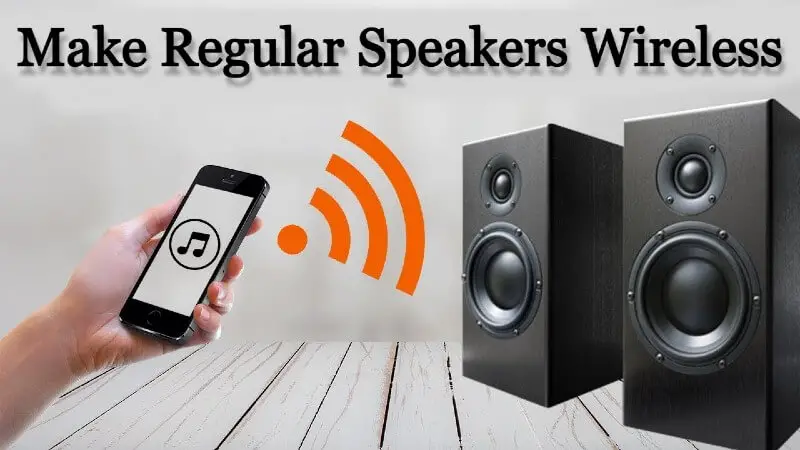
Credit: theaterdiy.com
Step 1: Assess The Speaker Compatibility
Assessing the speaker compatibility is the first step in making regular speakers wireless. By determining if your speakers have the necessary connectivity options and support for wireless technology, you can proceed with the rest of the process seamlessly.
Check The Speaker’S Connectivity Options:
- Look for any wireless connectivity options mentioned in the speaker’s user manual or specifications.
- Check if the speaker has bluetooth capabilities, as this is a common wireless technology.
- Look for wi-fi connectivity options, as some speakers can connect to a wireless network for streaming audio.
- If the speaker doesn’t have built-in wireless capabilities, don’t worry! There are still ways to make it wireless.
Determine If The Speaker Has Built-In Wireless Capabilities:
- Look for any indicators on the speaker itself that suggest wireless capabilities, such as a bluetooth or wi-fi logo.
- Check the speaker’s user manual or specifications for information on wireless capabilities.
- If the speaker does have built-in wireless capabilities, you may not need to take any additional steps to make it wireless.
Assess The Available Input Ports And Connectors:
- Look at the back or side of the speaker for any input ports or connectors.
- Common input ports include rca, 3.5mm, and optical.
- If your speaker has rca input ports, you can use a bluetooth receiver that connects to the rca ports to make it wireless.
- If your speaker has a 3.5mm input port, you can use a bluetooth transmitter that plugs into the 3.5mm port to make it wireless.
- For speakers with an optical input port, you can use an optical to bluetooth transmitter to make it wireless.
Remember, assessing the speaker’s compatibility is the first step in making regular speakers wireless. Once you’ve determined the speaker’s wireless capabilities and available input ports, you can move on to the next steps to make your speakers wireless.
Step 2: Choose The Right Wireless Adapter
To make regular speakers wireless in just 4 simple steps, the second step is to choose the right wireless adapter. This crucial component will allow you to connect your speakers to a wireless network and enjoy hassle-free wireless audio.
Research Different Types Of Wireless Adapters:
- Bluetooth adapters: These small devices connect to your speaker’s audio input and use bluetooth technology to transmit audio wirelessly from your source device. They are commonly used for short-range connections and can be easily paired with smartphones, tablets, and laptops.
- Wi-fi adapters: These adapters use wi-fi technology to connect your speakers to your home network. They offer a wider range and more stable connection compared to bluetooth adapters. Wi-fi adapters often come with additional features such as multi-room audio and compatibility with streaming services.
- Rf (radio frequency) adapters: Rf adapters use radio waves to transmit audio signals. They provide a longer range than bluetooth and wi-fi adapters, making them suitable for larger spaces. Rf adapters typically require a separate transmitter that connects to your source device.
- Usb adapters: These adapters connect directly to your speaker’s usb port and allow for wireless audio transmission. They are typically used with devices that don’t have built-in wireless capabilities, such as older models of speakers or computers.
Consider Factors Like Range, Compatibility, And Audio Quality:
- Range: Determine the distance over which you need to transmit audio and choose a wireless adapter with the appropriate range. Bluetooth adapters typically have a range of up to 30 feet, while wi-fi and rf adapters can cover larger distances.
- Compatibility: Check if the wireless adapter is compatible with your speaker’s connectivity options. Some speakers have built-in bluetooth or wi-fi capabilities, eliminating the need for an external adapter. Make sure the adapter you choose supports the same connectivity options as your speaker.
- Audio quality: Look for wireless adapters that support high-quality audio formats such as aptx or aac. These codecs ensure better sound reproduction and minimize latency issues.
Look For Adapters That Support Your Speaker’S Connectivity Options:
- Bluetooth connectivity: If your speaker has a bluetooth input, choose a bluetooth adapter that supports the same bluetooth version or a higher one for compatibility. Bluetooth adapters with the latest version, such as bluetooth 5.0, offer improved range and faster data transfer.
- Wi-fi connectivity: For speakers with wi-fi capabilities, select a wi-fi adapter that supports the same wi-fi standard (e.g., 802.11ac) as your speaker. This ensures a seamless connection and compatibility with your home network.
- Other connectivity options: Some speakers may have additional connectivity options like rca, aux, or optical inputs. Look for wireless adapters that provide the necessary cables or adapters to connect to these input types.
Remember to assess the specific needs of your speaker and choose a wireless adapter that meets those requirements while considering factors like range, compatibility, and audio quality.
Step 3: Connect And Set Up The Wireless Adapter
To make regular speakers wireless in 4 simple steps, start by connecting and setting up the wireless adapter. This step will allow you to seamlessly connect your speakers to any wireless device and enjoy a clutter-free audio experience.
Now that you have your wireless adapter ready, it’s time to connect and set it up with your regular speakers. Follow these simple instructions to get your speakers wirelessly connected in no time:
- Plug the wireless adapter into the speaker’s input port: Locate the input port on your regular speaker and securely plug in the wireless adapter. This will enable the adapter to send and receive wireless signals, eliminating the need for any messy cables.
- Follow the adapter’s instructions for pairing and setup: Every wireless adapter comes with its own set of instructions for pairing and setup. Be sure to read and follow these instructions carefully to ensure a successful connection. Usually, the process involves putting the adapter in pairing mode and then searching for it from your audio source device, such as a smartphone or laptop.
- Configure the wireless adapter settings for optimal performance: Once you have successfully paired the adapter with your audio source device, it’s time to configure the settings for optimal performance. This may involve adjusting settings like audio quality, connection range, or latency. Refer to the user manual or manufacturer’s website for instructions specific to your wireless adapter.
Remember, a wireless adapter provides the convenience of wire-free audio but it’s important to optimize the settings to ensure the best performance. Experiment with different settings to find the perfect balance between audio quality and stability.
By following these three simple steps, you can easily connect and set up a wireless adapter for your regular speakers. Say goodbye to tangled cables and enjoy the freedom of wireless audio wherever you go!
Step 4: Test And Fine-Tune The Wireless Connection
To make regular speakers wireless in 4 simple steps, you need to test and fine-tune the wireless connection. Ensure a seamless and high-quality audio experience by troubleshooting any issues and optimizing the wireless connection for optimal performance.
Once you have successfully set up the wireless connection for your speakers, it’s important to test and fine-tune the connection to ensure optimal audio quality and performance. Follow these steps to make sure everything is working smoothly:
- Play audio through the wireless speaker to test the connection: Start by playing some audio through the wireless speaker to check if the connection is working properly. You can use a bluetooth-enabled device, such as your smartphone or tablet, to stream music or other audio content wirelessly. If the audio plays without any interruptions or delays, it means that the connection is solid.
- Adjust the settings to optimize audio quality and latency: Some wireless speakers come with built-in settings that allow you to adjust the audio quality and latency. Experiment with these settings to find the optimal balance between sound quality and latency. You may also have the option to adjust the bass, treble, or other audio parameters to enhance the listening experience.
- Troubleshoot any connectivity issues that may arise: In case you encounter connectivity issues, such as audio dropouts or interference, there are a few troubleshooting steps you can take:
- Keep the wireless speaker and the connected device in close proximity to each other to minimize signal interference.
- Ensure that there are no electronic devices or obstacles (like walls or furniture) blocking the wireless signal between the speaker and the connected device.
- Check if there are any firmware updates available for your wireless speaker. Updating the firmware can often resolve connectivity issues and improve performance.
- If your wireless speaker supports multiple connection options (like bluetooth and wi-fi), try switching between different connection methods to see if that improves the reliability of the connection.
- If none of the above steps help, consult the user manual or contact customer support for further assistance.
By following these steps, you can effectively test and fine-tune the wireless connection of your speakers, ensuring a seamless and high-quality audio experience. Remember to maintain a clear line of sight between the speaker and the connected device and periodically check for any firmware updates to optimize performance.
Enjoy the freedom of wirelessly streaming your favorite music or audio content!
Frequently Asked Questions On How To Make Regular Speakers Wireless In 4 Simple Steps!
How Do I Make My Old Speakers Bluetooth?
Make your old speakers bluetooth: 1. Get a bluetooth receiver: you will need a bluetooth receiver to make your speakers bluetooth capable. 2. Connect the receiver: connect the bluetooth receiver to your speakers using the audio input or auxiliary port. 3.
Pair devices: turn on bluetooth on your device and pair it with the bluetooth receiver. 4. Enjoy wireless audio: once paired, you can now stream audio from your device to your old speakers wirelessly via bluetooth. By following these simple steps, you can easily transform your old speakers into bluetooth speakers and enjoy the convenience of wireless audio streaming.
How Do I Connect My Phone To Old Speakers?
To connect your phone to old speakers, you can make your speakers bluetooth capable by using a bluetooth receiver. A bluetooth receiver converts the wireless bluetooth audio signal from your phone into a line-level electrical audio signal that is compatible with your old speakers.
This allows you to wirelessly stream music from your phone to your speakers. Simply connect the bluetooth receiver to your speakers using the appropriate audio cables, pair it with your phone via bluetooth, and you’re ready to enjoy wireless audio.
With this setup, you can easily connect your phone to your old speakers and enjoy your favorite music without the need for any additional equipment. It’s a convenient and cost-effective solution to modernize your old speakers and enjoy wireless audio streaming.
How Do Wireless Speakers Work?
Wireless speakers work by utilizing bluetooth technology to establish a wireless connection with audio sources. A bluetooth transmitter in the audio source converts the audio signal into a wireless bluetooth signal and sends it to the wireless speaker. The wireless speaker, equipped with a bluetooth receiver, receives the bluetooth signal and converts it back into an electrical audio signal.
This signal is then amplified and played through the speaker’s drivers to produce sound. The wireless speaker and the audio source need to be within the bluetooth range for the connection to work effectively. The advantage of wireless speakers is that they eliminate the need for physical audio cables, providing a convenient and clutter-free audio experience.
Additionally, many wireless speakers offer additional features such as portable and waterproof designs, multi-room connectivity, and compatibility with voice assistants.
Can You Have Wireless Speakers?
Yes, you can have wireless speakers. To make your regular speakers wireless, you will need a bluetooth receiver. A bluetooth receiver takes a wireless bluetooth audio signal and converts it to a line-level electrical audio signal. This line-level signal is a low voltage signal that is resistant to noise.
By connecting the bluetooth receiver to your regular speakers, you can stream audio wirelessly from your devices such as smartphones, tablets, or computers. This allows you to enjoy music, podcasts, or any other audio content without the hassle of cables.
Wireless speakers provide convenience and flexibility, as you can place them anywhere within the range of the bluetooth signal. Additionally, you can easily connect multiple devices to the same set of wireless speakers, making it ideal for entertaining or multi-room audio setups.
Conclusion
Interference and can be easily connected to regular speakers. To make your regular speakers wireless, follow these four simple steps: first, choose a bluetooth receiver that suits your needs and budget. There are various options available in the market, ranging from simple adapters to more advanced streaming devices.
Next, connect the bluetooth receiver to your regular speakers using the appropriate cables. Ensure that the connections are secure and properly inserted. Once the connection is established, pair your bluetooth receiver with your desired audio source. This could be your smartphone, tablet, or any other bluetooth-enabled device.
Follow the pairing instructions specific to your bluetooth receiver and audio source. Finally, test the setup by playing your favorite music or audio content. Adjust the volume and enjoy the convenience of wirelessly streaming audio to your regular speakers. By following these simple steps, you can transform your regular speakers into wireless ones, giving you more flexibility and convenience in your audio setup.
Say goodbye to tangled wires and enjoy the freedom of wireless audio.
