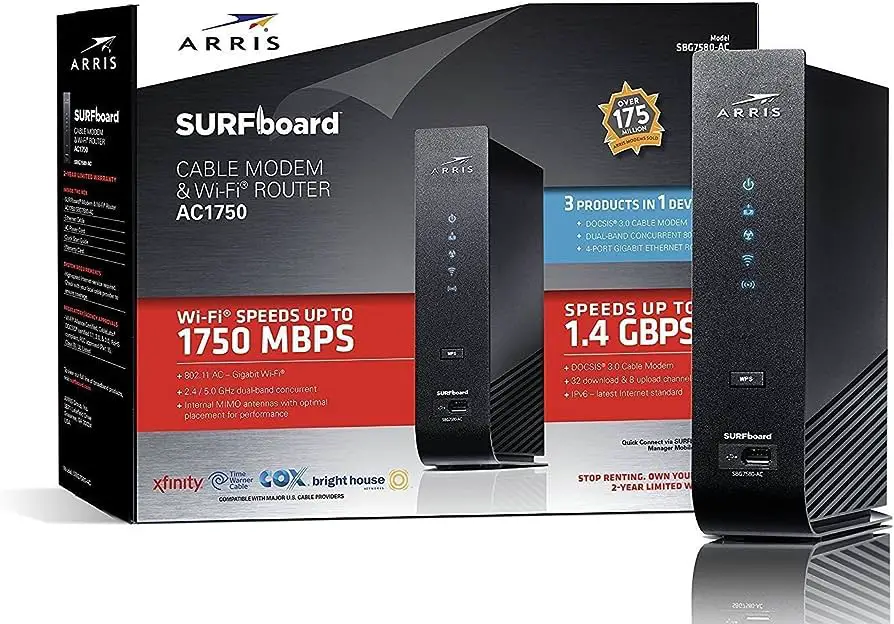
To split the 2.4GHz and 5GHz spectrum, use a dual-band router and configure separate SSIDs for each frequency. This will allow devices to connect to the desired frequency based on their capabilities.
Splitting the spectrum optimizes network performance and reduces interference, providing better overall Wi-Fi experience. In today’s world, Wi-Fi has become an essential part of our daily lives. Whether at home, in the office, or on the go, we rely on seamless connectivity to stay productive and entertained.
With the increasing number of devices competing for bandwidth, it’s essential to optimize the Wi-Fi spectrum. One effective way to achieve this is by splitting the 2. 4GHz and 5GHz frequencies. By understanding the process and benefits of splitting the spectrum, you can enhance your Wi-Fi network’s performance and ensure a reliable connection for all your devices.
Understanding Wifi Bands
To optimize your network, it’s crucial to understand how to separate your 2. 4GHz and 5GHz Wi-Fi bands. By doing this, you can ensure that your devices are connected to the most suitable frequency to enjoy optimal speeds and reduced interference.
It’s crucial to capitalize on the benefits of each band for a seamless internet experience.
Understanding Wifi Bands Nowadays, the average household can boast a plethora of internet-enabled devices – from smartphones to tablets, smart TVs, and gaming consoles. It’s clear that the demand for faster and more reliable Wi-Fi connections is at an all-time high. Understanding the 2.4Ghz and 5Ghz bands is crucial to optimize your wireless connection.The Difference Between 2.4ghz And 5ghz Frequencies
The 2.4Ghz and 5Ghz frequencies are the two main spectrums used by Wi-Fi routers. The primary difference lies in their range and speed capabilities. The 2.4Ghz band offers a wider range and better penetration through walls and solid objects, making it suitable for larger spaces. On the other hand, the 5Ghz band delivers higher speeds, making it ideal for activities like online gaming and 4K video streaming.How Each Frequency Affects Your Wireless Connection
The 2.4Ghz frequency is more susceptible to interference, as it’s commonly used by other devices like cordless phones and Bluetooth devices. This can lead to slower speeds and less stable connections. In contrast, the 5Ghz frequency is less congested, resulting in faster, more reliable connections especially in areas with multiple Wi-Fi networks.Importance Of Band Splitting For Optimal Performance
Band splitting is essential for achieving optimal Wi-Fi performance. By assigning different devices to either the 2.4Ghz or 5Ghz band based on their usage requirements, you can ensure a seamless experience for all connected devices. This approach maximizes the benefits of each frequency while minimizing interference, leading to improved overall network performance and user experience. In conclusion, understanding the nuances of 2.4Ghz and 5Ghz Wi-Fi bands is crucial for optimizing your network for various devices and usage scenarios. By leveraging the unique strengths of each frequency and strategically splitting the bands, you can achieve a faster and more reliable wireless connection for all your devices.
Credit: plugable.com
Benefits Of Splitting Wifi Spectrum
In modern home networks, the 2.4GHz and 5GHz spectrum are the two primary bands used for transmitting wireless signals. However, with the growing number of connected devices, splitting the WiFi spectrum can offer several advantages, improving network performance and user experience.
Improved Network Stability And Range
Splitting the WiFi spectrum into 2.4GHz and 5GHz bands can improve network stability and range. With this split, you can allocate specific devices and applications to each band, reducing congestion and ensuring a more reliable connection. This allows for a more consistent signal across different areas within your home or office, ultimately enhancing the overall network stability and range.
Enhanced Connection Speed On Separate Bands
By dividing the spectrum, you can achieve enhanced connection speed for your devices. The 5GHz band offers faster data transfer rates compared to the 2.4GHz band, making it ideal for applications that require high bandwidth, such as streaming HD content, online gaming, and video conferencing. Utilizing separate bands for different devices or activities ensures that each benefits from the optimal connection speed available.
Reduced Signal Interference
Splitting the WiFi spectrum helps reduce signal interference between devices and neighboring networks. The 2.4GHz band is more susceptible to interference from household appliances and other wireless devices operating on the same frequency. By allocating specific devices to the less congested 5GHz band, you can minimize interference, ensuring a more reliable and uninterrupted connection.
Configuring Dual-band Routers
Configuring dual-band routers is essential for optimizing your wireless network performance. By configuring separate SSIDs for the 2.4GHz and 5GHz bands, you can harness the full potential of your network’s capabilities. This guide will walk you through the process of accessing your router’s settings, locating WiFi band settings, and setting up different SSIDs for the 2.4GHz and 5GHz bands to ensure a seamless and efficient wireless network experience.
Accessing Your Router’s Settings
To configure your dual-band router, you need to access your router’s settings. Follow these steps to access the settings:
- Connect your computer or mobile device to the router’s network.
- Open a web browser and enter the router’s IP address into the address bar.
- Enter the login credentials (username and password) provided by your router’s manufacturer to access the router’s settings.
Locating Wifi Band Settings
Once you’ve accessed your router’s settings, locate the WiFi band settings. This can usually be found under the “Wireless” or “WiFi” settings tab. Look for the option to configure the 2.4GHz and 5GHz bands separately.
Setting Up Different Ssids For 2.4ghz And 5ghz
After locating the WiFi band settings, set up different SSIDs for the 2.4GHz and 5GHz bands by following these steps:
- Find the option to create a new SSID for the 5GHz band.
- Enter a unique name for the 5GHz SSID to differentiate it from the 2.4GHz SSID.
- Save the settings to apply the changes.
By configuring your dual-band router with separate SSIDs for the 2.4GHz and 5GHz bands, you can enhance your network performance, reduce interference, and optimize your WiFi experience.
Naming Conventions For Clarity
When setting up a dual-band Wi-Fi network, clarity in the naming conventions plays a crucial role in a seamless user experience. Creating distinct SSIDs for the 2.4GHz and 5GHz bands not only makes it easier for users to connect to the right network but also enhances the overall security and performance of the network.
Creating Distinct Ssids
To effectively split the 2.4GHz and 5GHz spectrum, it’s essential to create separate and easily distinguishable SSIDs for each band. This ensures that devices can connect to the most suitable band for their requirements, and users can easily identify and select the desired network.
Tips For Memorable And Effective Network Names
When naming your networks, consider the following tips to ensure clarity and effectiveness:
- Avoid generic names: Opt for unique and specific names that reflect the frequency band, such as “HomeNet-2.4GHz” and “HomeNet-5GHz”.
- Include location identifiers: Adding location-based identifiers like “LivingRoom” or “Office” can help users identify the network’s coverage area.
- Use recognizable terms: Incorporate terms that users can easily relate to, such as “FastNet” for the 5GHz band to convey higher speeds.
- Avoid special characters: Keep the network names simple and easy to type, avoiding complex special characters that may confuse users.
- Consider user preferences: If the network is for specific devices or purposes, tailor the names accordingly to ensure easy identification.
How To Split Wifi Spectrum Strategically
Allocating devices to the appropriate bands, 2.4Ghz and 5Ghz, is essential for optimizing your WiFi network’s performance. Strategically splitting the WiFi spectrum ensures that your devices function at their best capacity and experience minimal interference.
H3 1Determining The Best Band For Your Devices
The first step in strategically splitting the WiFi spectrum is determining the ideal band for your devices. Consider the following factors to make informed decisions:
- Device capabilities and compatibility with 5Ghz.
- Distance from the router and potential obstructions.
- Interference from neighboring WiFi networks or other electronic devices.
Assigning Devices To 2.4ghz Or 5ghz
After carefully evaluating the factors, assign your devices to the most suitable band. Opt for 5Ghz for devices that require high-speed, low-latency connections and are in close proximity to the router. Devices that do not demand high bandwidth or are farther from the router are better suited for 2.4Ghz.
H3 3Balancing Device Load Between The Two Bands
Ensure an even distribution of devices between the two bands to prevent overcrowding. Balancing the load maximizes the efficiency of both bands, allowing for consistent performance across all connected devices.
Optimizing Connection For Maximum Performance
When it comes to optimizing your wireless connection for maximum performance, splitting the 2.4GHz and 5GHz spectrum is crucial. By making use of the right placement and understanding the environment of your network, you can ensure a smooth and efficient wireless experience. Implementing Quality of Service (QoS) settings further enhances the overall performance, guaranteeing that each H3 heading adheres to HTML syntax.
Analyzing And Adjusting Your Network’s Environment
Before splitting the 2.4GHz and 5GHz spectrum, it’s essential to analyze and adjust your network’s environment. Factors such as walls, appliances, and interference from neighboring Wi-Fi networks can impact the performance of both spectrums. By identifying potential sources of interference and adjusting the placement of your router, you can optimize the signal strength and minimize disruptions.
How To Split 2.4ghz And 5ghz Spectrum: Maximize Your Connection With The Right Placement
Maximizing your connection with the right placement involves strategically positioning your wireless router or access point. Placing the 5GHz network closer to the devices that require high bandwidth, such as streaming devices or gaming consoles, can ensure a faster and more reliable connection. On the other hand, the 2.4GHz network may be ideal for devices that require longer range but lower bandwidth, such as smart home devices or older devices.
Implementing Quality Of Service (qos) Settings, Ensuring Each Heading Adheres To Html Syntax
Implementing Quality of Service (QoS) settings allows you to prioritize certain types of network traffic, ensuring that critical applications receive the necessary bandwidth for optimal performance. By assigning higher priority to activities such as video streaming or online gaming, you can prevent latency and buffering issues, enhancing the overall user experience. Furthermore, QoS settings enable you to manage network traffic efficiently, ensuring that important data packets are delivered without delay.
Advanced Wifi Spectrum Management
Are you struggling with managing your wifi spectrum effectively? Advanced Wifi Spectrum Management is crucial for optimizing your network’s performance and ensuring seamless connectivity. In this blog post, we will delve into advanced techniques for splitting the 2.4GHz and 5GHz spectrum to maximize your router’s potential.
Using Third-party Firmware For More Control
When it comes to advanced Wifi spectrum management, leveraging third-party firmware can provide you with greater control over your router’s settings. Firmware such as DD-WRT and OpenWRT offer advanced features and customization options that aren’t available with standard router firmware. These third-party options can empower you to fine-tune your network’s spectrum allocation and other crucial settings to optimize performance.
The Role Of Channel Selection In Splitting Bands
The channel selection plays a pivotal role in splitting 2.4GHz and 5GHz bands effectively. For the 2.4GHz band, it’s essential to choose a channel with the least interference from neighboring networks and devices. Utilizing channels 1, 6, or 11 can help minimize overlapping and congestion. In contrast, the 5GHz band offers more non-overlapping channels, enabling better distribution of devices and reducing interference. Efficient channel selection ensures a balanced spectrum split for optimal performance.
Regularly Updating Your Network Setup For Optimal Performance
Ensuring that your network setup is regularly updated is paramount to maintaining its optimal performance. Firmware updates, security patches, and network optimization should be ongoing processes to adapt to changing technology and mitigate potential vulnerabilities. Regular updates enable your network to operate at its best, providing stable connectivity and efficient spectrum management.
Troubleshooting Split Wifi Issues
When it comes to optimizing your home or office Wi-Fi network, splitting the 2.4GHz and 5GHz spectrum is an effective way to ensure seamless connectivity. However, this setup can come with its own set of challenges. In this guide, we will address the common problems that can arise when splitting Wi-Fi frequencies and provide step-by-step solutions for troubleshooting these issues.
Common Problems When Splitting Wifi Frequencies
Splitting the Wi-Fi frequencies can sometimes lead to connectivity issues and other challenges. Below are some of the common problems you might encounter:
- Interference between the 2.4GHz and 5GHz bands causing signal disruptions.
- Devices not automatically connecting to the optimal frequency, leading to slow or inconsistent speeds.
- Incompatibility with older devices that only support 2.4GHz.
- Signal range differences between the two frequencies affecting the coverage area.
Step-by-step Solutions For Seamless Connectivity
To address these issues and ensure seamless connectivity after splitting your Wi-Fi frequencies, follow these step-by-step solutions:
1. Optimize Channel Selection
Ensure that your router is set to auto-select the least congested channels for both the 2.4GHz and 5GHz bands. This can minimize interference and improve overall network performance.
2. Device Optimization
- Encourage dual-band capable devices to connect to the 5GHz network for higher speeds and better performance.
- For devices that only support 2.4GHz, ensure they are connected to the appropriate network to avoid connectivity issues.
3. Placement and Range Extenders
Strategically place your Wi-Fi router to ensure optimal coverage for both the 2.4GHz and 5GHz bands. Consider using range extenders or mesh systems to boost signal strength as needed.
4. Firmware Update
Regularly check for firmware updates for your router and ensure it is up to date. This can address compatibility issues and improve overall network stability.
By implementing these solutions, you can troubleshoot and resolve common issues that may arise when splitting your Wi-Fi frequencies, ensuring a seamless and reliable connectivity experience for all your devices.
Frequently Asked Questions On How To Split 2.4ghz And 5ghz Spectrum
What Is The Difference Between 2.4ghz And 5ghz Spectrum?
The 2. 4Ghz spectrum has a longer range but lower speed, while the 5Ghz spectrum offers faster speeds at shorter ranges. Understanding these differences will help you optimize your network for better performance.
How Can I Separate The 2.4ghz And 5ghz Frequencies?
You can split the frequencies by configuring your router’s settings. Access the admin interface of your router and look for the wireless settings. There, you can set different names for the 2. 4Ghz and 5Ghz networks.
Why Should I Separate 2.4ghz And 5ghz On My Router?
Separating the two frequencies can help reduce interference and improve the overall performance of your wireless network. By assigning different devices to different frequencies, you can optimize the connection for each device’s specific needs.
Can I Use Both 2.4ghz And 5ghz At The Same Time?
Yes, modern routers support using both frequencies simultaneously. This allows you to connect older devices that only support 2. 4Ghz while still taking advantage of the faster speeds offered by the 5Ghz frequency for newer devices.
Conclusion
Incorporating both 2. 4GHz and 5GHz spectrums enhances your network’s performance and efficiency. By deploying effective strategies to split these frequencies, you can optimize your wireless internet experience and overcome interference issues. Understanding the differences and advantages of each spectrum will empower you to make informed decisions for your network setup.
Embracing this approach can significantly improve your connectivity and overall user experience.
