
Yes, you can download the Spectrum app on Firestick. It allows you to stream live TV, on-demand content, and more.
It’s a convenient way to access your Spectrum entertainment on your Firestick. Spectrum app on Firestick offers a seamless way to enjoy your favorite shows and movies on the big screen. With easy access to live TV and on-demand content, it’s a versatile solution for your entertainment needs.
Whether you want to catch up on your favorite series or watch live sports, the Spectrum app on Firestick has you covered. Transform your Firestick into a complete entertainment hub with the Spectrum app, giving you endless viewing options at your fingertips.
Effortlessly Stream Spectrum On Firestick
The Spectrum TV app allows Firestick users to enjoy live TV, on-demand content, and access to a vast library of channels, all from the comfort of their living room. With a user-friendly interface and seamless navigation, the app ensures that every viewing experience is smooth and enjoyable. Users can browse through a multitude of entertainment options and even customize their channel lineup to their preferences, making it a versatile and convenient way to watch TV.
By having the Spectrum app on Firestick, users gain access to a plethora of benefits. They can enjoy the flexibility of watching their favorite shows and movies on-demand, stream live TV, and even use the app as a remote control for their TV. Additionally, with the ability to use the app on multiple devices, users can seamlessly transition between their Firestick and other compatible gadgets, ensuring that they never miss out on their preferred content. The app’s extensive compatibility with Firestick makes it a valuable addition to any entertainment setup, providing convenience and a diverse range of viewing options.
Setting Up Spectrum On Firestick
Spectrum TV app is a great way to stream live TV, on-demand content, and more on your Firestick. Getting it set up is a quick and easy process. Here’s a step-by-step guide to help you install and configure the Spectrum app on your Firestick.
Pre-requisites For Installation
Before you begin the installation process, make sure you have the following:
- A Firestick device connected to your TV and configured with an active internet connection
- Your Spectrum username and password handy
Step-by-step Guide To Downloading The App
- Power on your Firestick and navigate to the home screen.
- Go to the search icon, located at the top-left corner of the screen.
- Type “Spectrum TV” using the on-screen keyboard and select the app from the search results.
- Click on the “Get” or “Download” button to initiate the download and installation process.
- Once the installation is completed, launch the Spectrum TV app from the home screen.
- Log in to your Spectrum account using your username and password.
- Once you’ve successfully logged in, you can start enjoying your favorite shows and channels on your Firestick.
Following these steps ensures that you have the Spectrum app up and running on your Firestick in no time, allowing you to access a wide range of entertainment options at your convenience.
Troubleshooting Common Issues
When it comes to streaming apps, the Spectrum TV app on Firestick is incredibly popular. However, like any app, you may encounter some common issues that can hinder your streaming experience. Understanding these issues and how to troubleshoot them is key to ensuring a smooth and enjoyable streaming experience. Let’s take a look at some common installation and streaming errors, as well as solutions to ensure a seamless streaming experience.
Common Installation And Streaming Errors
When installing or using the Spectrum TV app on Firestick, you may encounter some common errors that can disrupt your viewing experience. The most common issues include:
- App not installing properly
- Buffering and freezing during playback
- Poor video quality
- Audio syncing issues
Solutions For Smooth Streaming Experience
To ensure a smooth and uninterrupted streaming experience, consider the following solutions:
- Check your internet connection: Ensure that your Firestick is connected to a stable and high-speed internet connection. Slow or unreliable internet can lead to buffering and poor video quality.
- Update the Spectrum TV app: Regularly check for updates for the Spectrum TV app on Firestick. Updated versions often address bugs and improve performance.
- Clear app cache and data: If you encounter playback issues, try clearing the app’s cache and data in the Firestick settings. This can resolve many performance-related issues.
- Restart your Firestick: Sometimes, a simple restart can solve many streaming hiccups. Reboot your Firestick to clear any temporary issues.
- Check for device compatibility: Ensure that your Firestick device is compatible with the Spectrum TV app. Compatibility issues can lead to installation and streaming errors.
Optimizing Your Spectrum Streaming
Best Practices For Spectrum App Usage
When using the Spectrum App on Firestick, it is essential to follow some best practices to enhance your streaming experience. The following tips can help you make the most of the app and ensure smooth streaming:
- Regular Updates: Always keep the Spectrum App updated to the latest version to benefit from new features and improvements.
- Strong Internet Connection: A stable and high-speed internet connection is crucial for uninterrupted streaming. Consider using a wired connection for better reliability.
- Clear Cache: Clearing the cache of the Spectrum App regularly can help resolve performance issues and maintain smooth streaming.
- Optimal Device Placement: Position your Firestick device in an open area with good ventilation to prevent overheating and ensure optimum performance.
Enhancing Viewer Experience On Firestick
To elevate your viewing experience on Firestick while using the Spectrum App, consider the following tips to optimize streaming quality:
- Adjust Streaming Quality: In the app settings, adjust the streaming quality based on your internet speed to prevent buffering and enjoy clear visuals.
- Streaming Environment: Ensure the viewing environment is free from interference to maintain a strong Wi-Fi signal for seamless streaming.
- Utilize Parental Controls: Customize parental control settings within the Spectrum App to manage and restrict content access based on viewers’ preferences.
- Explore Accessibility Features: Take advantage of the accessibility features within the app to personalize subtitles, closed captions, and audio descriptions for a tailored viewing experience.
Must-know Tips And Tricks
When it comes to downloading the Spectrum app on Firestick, there are some must-know tips and tricks that can enhance your streaming experience. From discovering hidden features to maximizing the Firestick’s potential with Spectrum, you can elevate your entertainment setup with these valuable insights.
Hidden Features Of The Spectrum App
One of the lesser-known aspects of the Spectrum app on Firestick is its array of hidden features that can enrich your viewing experience. From customizable closed captioning options to quick access settings, the Spectrum app offers more than meets the eye. Making the most of these features can elevate your streaming experience to the next level, providing a truly personalized and user-friendly interface.
Maximizing The Firestick Potential With Spectrum
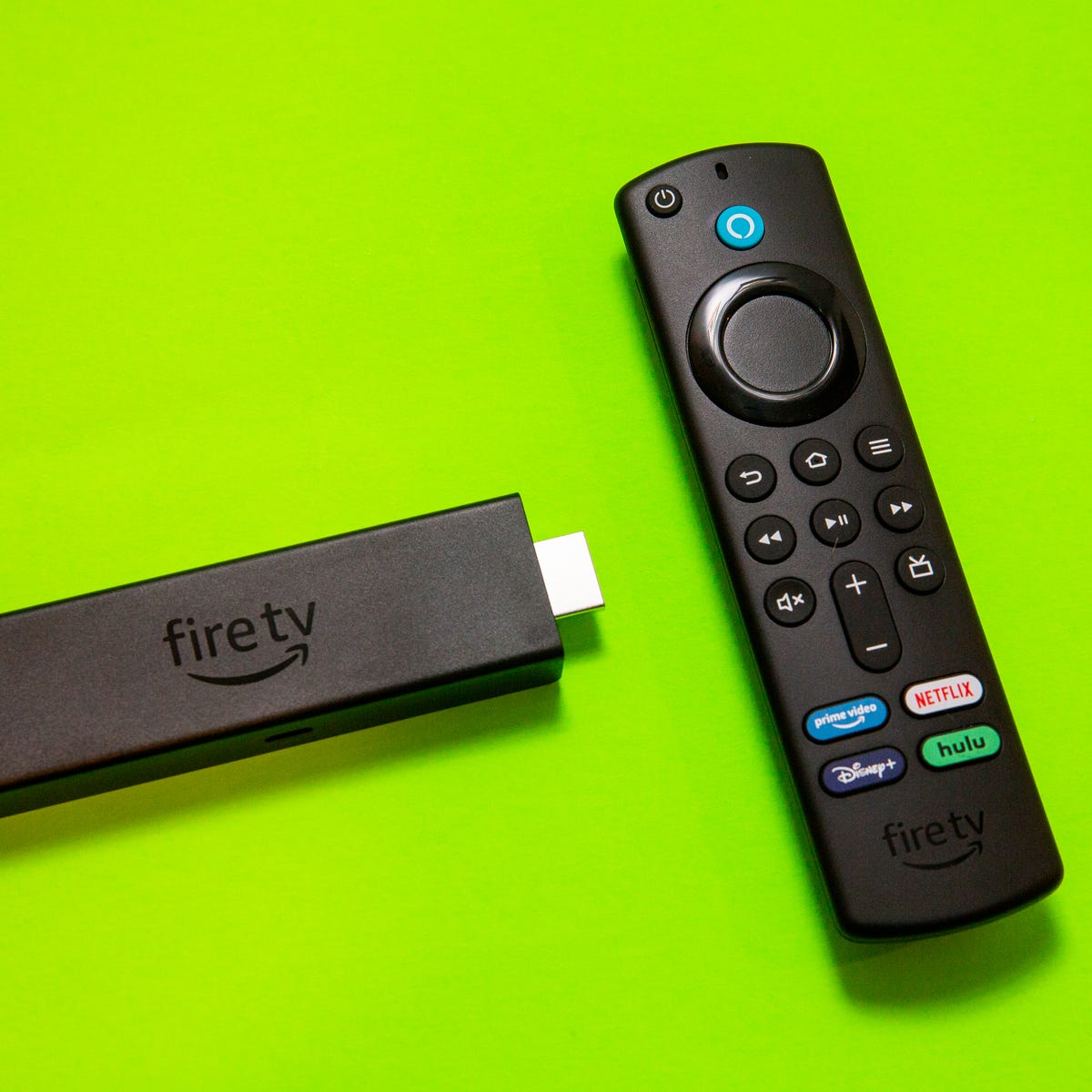
Integrating the Spectrum app with your Firestick can unlock a world of entertainment possibilities. By harnessing the full potential of your Firestick device, you can seamlessly enjoy Spectrum’s diverse range of content, including live TV, On Demand shows, and more. Maximizing the Firestick potential with Spectrum is the key to creating a streamlined and efficient entertainment hub within your home.
Credit: www.cnet.com
Frequently Asked Questions Of Can You Download The Spectrum App On Firestick
Can I Download The Spectrum App On Firestick?
Yes, you can download the Spectrum TV app on Firestick by accessing the Amazon Appstore. Search for the app, select it, and then click on the “Get” or “Download” button to install it on your Firestick device. Enjoy streaming your favorite content from Spectrum on your Firestick hassle-free.
Is Spectrum Tv App Supported On Firestick?
Absolutely! The Spectrum TV app is fully supported on Firestick. You can access and enjoy a wide range of live TV channels, on-demand content, and more directly through your Firestick device. It offers seamless integration and a user-friendly interface for a great viewing experience.
How Do I Sign In To Spectrum App On Firestick?
To sign in to the Spectrum app on Firestick, simply launch the app on your device. Then, enter your Spectrum username and password to log in. If you don’t have an account, you can easily create one through the app.
Once signed in, you can start exploring and watching your favorite shows.
What Are The Features Of Spectrum Tv App On Firestick?
The Spectrum TV app on Firestick offers numerous features, including access to a vast library of on-demand content, the ability to watch live TV channels, and an intuitive interface for easy navigation. Additionally, it provides parental controls, a personalized program guide, and the option to filter content based on genres or networks.
Conclusion
So, downloading the Spectrum app on Firestick is a convenient way to access a diverse range of entertainment. With its user-friendly interface and seamless compatibility, it’s a great choice for streaming your favorite content. By following the simple steps provided, you can easily enhance your viewing experience.
